Need help?
Do you have a question about the Thermics CTOP2WF Series and is the answer not in the manual?
Read manual carefully for safe and correct operation; observe all instructions.
Unit can be predisposed with wall, onboard, or infrared remote control configurations.
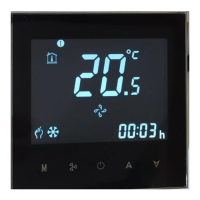
Turn the thermostat ON/OFF and set mode, temperature, and fan speed.
Configure time, master-slave, and weekly program for advanced control.
Lock or unlock the screen by simultaneously pressing indicated buttons.
Install TUYA SMART app for smartphone control and connect thermostat to WiFi.
Rename thermostats and add other devices for centralized control via the app.
Mount thermostat using a 65x38mm round box; square boxes are also options.
Connect thermostat via wiring diagram and secure mounting plate to wall.
Use 1mmq wires for signal cables and 2mmq for power supply.
Overview of remote control modes (AUTO, COOL, DRY, FAN, HEAT) and button functions.
Set temperature units, timer ON/OFF, and adjust clock time using remote.
Configure clock, child lock, and manage backlight via the remote control.
Use window contact to force unit shutdown; unit restarts when contact closes.
NTC probe for min/max temp sensing, controlling fan based on water temp.
Control flap opening/closing (30-90° or fully open in heating) for RHW series.
Diagram showing connections for thermostat, unit, and accessories.
Explanation of DIP switch settings for motor speed, control, and pipe configuration.
Wiring diagram for connecting to master or subsequent slave units and power.
Diagram detailing connections for heat/cool valves and temperature probes.
Master/slave wiring with safety warning on phase/neutral inversion.
 General
| Brand | Thermics |
|---|---|
| Model | CTOP2WF Series |
| Category | Controller |
| Language | English |

 To Next Page