Operating Instructions
23
NOTE: When the system is turned on for the first time after
replacing or disconnecting the main controller from power
the mode icon will flash for approximately 60 seconds. This is
initial boot of the micro processor.
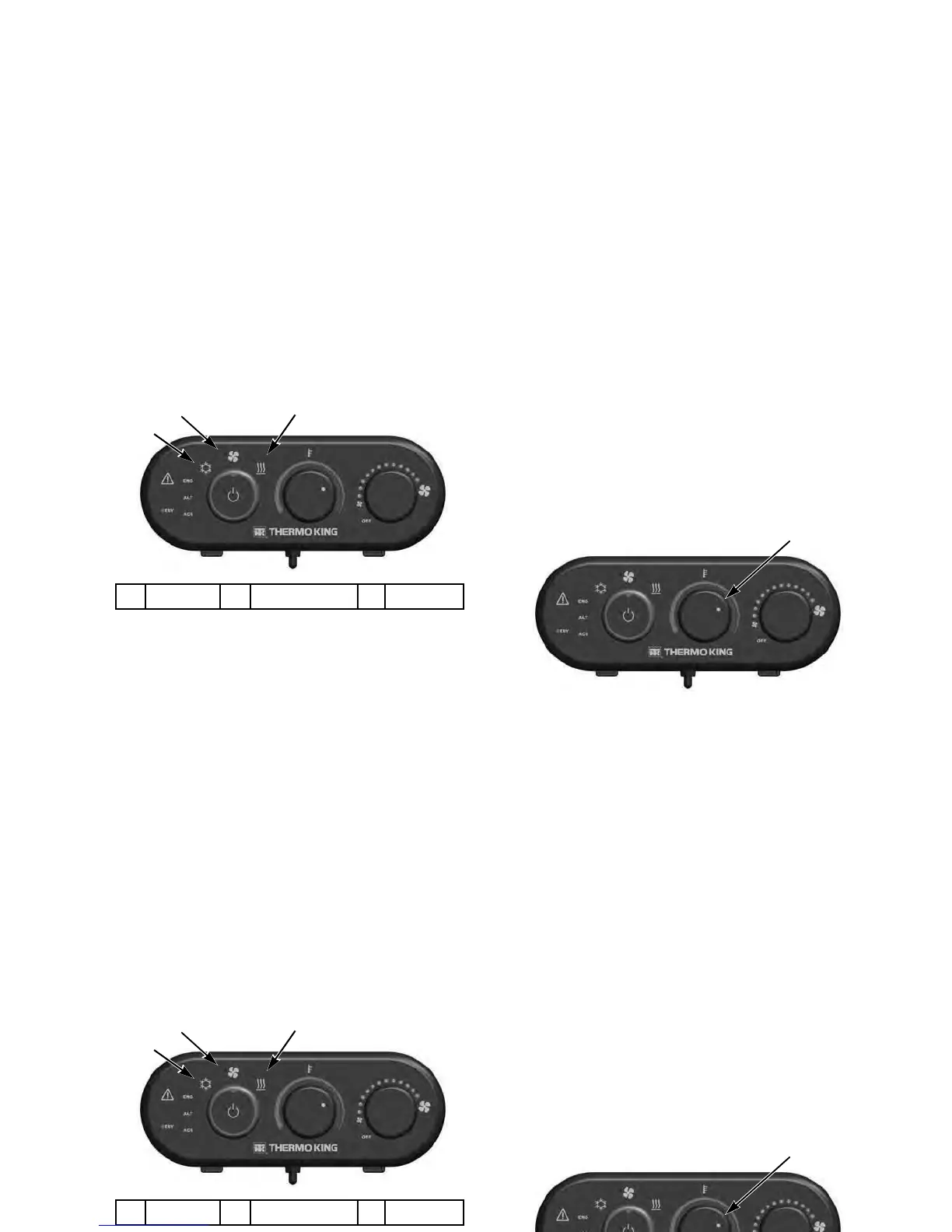
Temperature Selector
Temperature selection is accomplished by rotating the center
Temperature Selector knob. It adjusts the desired cab
temperature cooler (blue) or warmer (red). Adjust to operator
comfort. The default represented range is approximately 65 -
80 F (20 - 27 C) in Cool Mode and 50 - 80 F (10 - 27 C) in
Heat Mode.
Center Knob Adjusts Temperature
1.
Cool Mode
2.
Fan Only Mode
3.
Heat Mode
Mode Selection
Operating Instructions
23
NOTE: When the system is turned on for the first time after
replacing or disconnecting the main controller from power
the mode icon will flash for approximately 60 seconds. This is
initial boot of the micro processor.
Temperature Selector
Temperature selection is accomplished by rotating the center
Temperature Selector knob. It adjusts the desired cab
temperature cooler (blue) or warmer (red). Adjust to operator
comfort. The default represented range is approximately 65 -
80 F (20 - 27 C) in Cool Mode and 50 - 80 F (10 - 27 C) in
Heat Mode.
Center Knob Adjusts Temperature
1.
Cool Mode
2.
Fan Only Mode
3.
Heat Mode
Mode Selection




 To Next Page