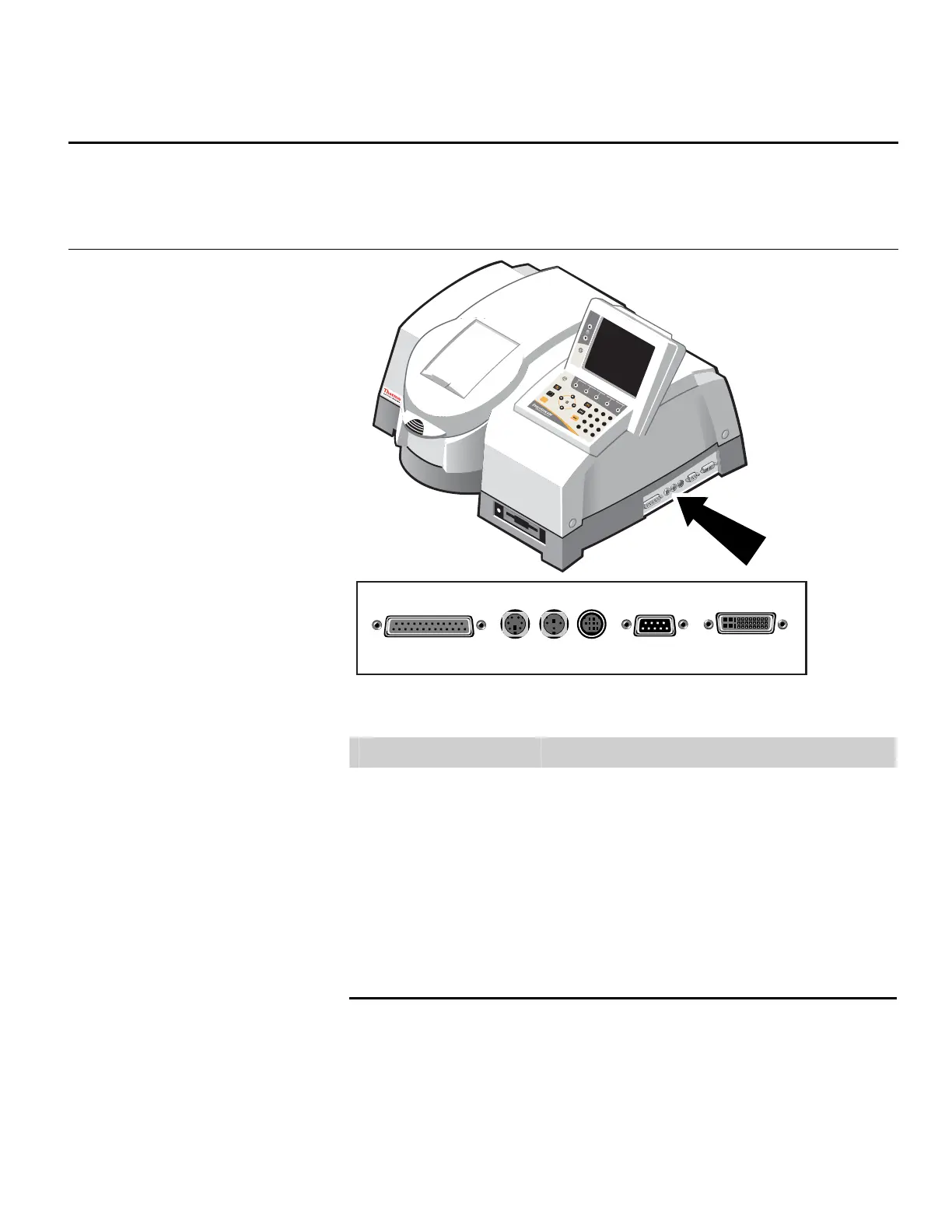
Connectors
The following illustrations show the locations of the connectors on each
side of the spectrophotometer.
Right side
Zero
Run
7
8
9
4
5
6
1
2
3
0
.
-
PRINTER KEY BD EXT ACCY RS232
DISPLAY
EXT
Connector Function
Printer Use to connect a printer with a parallel interface.
Key Bd
Use to connect an English keyboard (this is supplied by
us to meet electrical emission requirements).
Ext
Use to connect an external TTL (or contact closure)
trigger.
Accy Use to connect an external accessory.
RS232 Use to connect a computer with an RS232 interface.
Ext Display Use to connect to a computer monitor.
Thermo Fisher Scientific Evolution 300 and Evolution 600 User Guide 5











 To Next Page