EasyManua.ls Logo

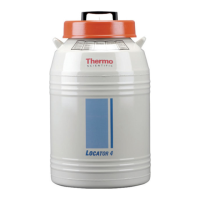
Thermo Scientific Locator Series - User Manual

Thermo Scientific Locator Series
30 pages
Print Icon
To Next Page IconTo Next Page
Loading...
Visit us online to register your warranty
www.thermoscientific.com/labwarranty
User Manual
Locator and Locator Plus
Cryogenic Storage Vessel with or without
Ultrasonic Level Monitor
Operation Manual and Parts List LT509X9 (7018141) Rev. 4

Questions and Answers

  • T
    Taylor NealAug 10, 2025
    Why does the Thermo Scientific Locator level monitor alarm sound intermittently?
    • V
      Victoria JohnsonAug 10, 2025
      The intermittent alarm and incorrect liquid level measurement in your Thermo Scientific Laboratory Equipment are likely due to ice or frost buildup on the transducer. To resolve this, remove the cover with the monitor from the vessel and let it sit at room temperature for about two hours, or until no ice is visible on the transducer or tube. Do not use a heat gun, as it can damage the cork. Ensure the lid stands upright on the cork to allow moisture to drain. Wipe moisture from the tube's inside and transducer's face with a clean, soft cloth. Then, replace the cover with the monitor and press the “Reset” button.
  • D
    daltononealAug 22, 2025
    What to do if Thermo Scientific Locator level monitor reads 'Full' after replacing the lid?
    • V
      Vincent ScottAug 22, 2025
      If your Thermo Scientific Laboratory Equipment's level monitor reads 'Full' after you replace the lid, it's probably due to fog in the top part (neck area) of the cryogenic vessel. The density of this fog depends on the room's humidity. The fog should dissipate in about fifteen minutes, after which the level monitor will provide an accurate reading of the liquid nitrogen level.

Thermo Scientific Locator Series Specifications

General IconGeneral
BrandThermo Scientific
ModelLocator Series
CategoryLaboratory Equipment
LanguageEnglish

Related product manuals