EasyManua.ls Logo

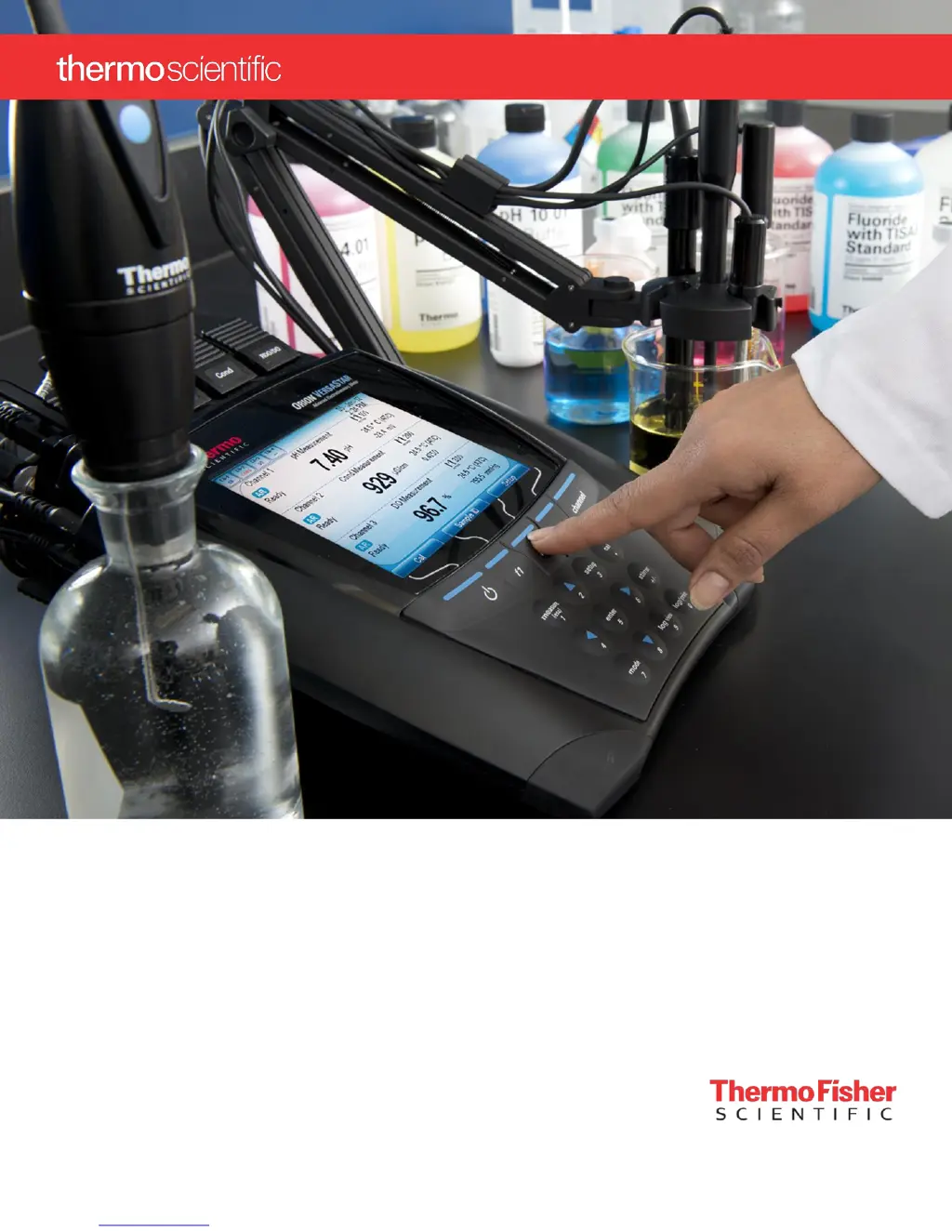
Thermo Scientific Orion Versa Star Pro - User Manual

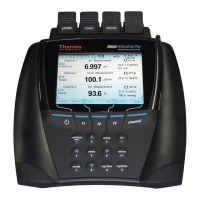
Thermo Scientific Orion Versa Star Pro
146 pages
Print Icon
To Next Page IconTo Next Page
Loading...
Orion Versa Star Pro
Electrochemistry Meters
User Manual
68X000791 Revision
B
May
2018

Table of Contents

Questions and Answers

  • M
    Matthew WeaverAug 15, 2025
    Why does Thermo Scientific Measuring Instruments show Over Range or Under Range?
    • J
      John MortonAug 15, 2025
      This occurs when the measurement is outside the allowable measurement range. Ensure the electrode or probe is fully connected with the measurement module, and verify the correct channel is shown on the meter display.
  • J
    jimenezshaneAug 18, 2025
    What to do if Thermo Scientific Measuring Instruments freezes and won't change?
    • L
      Lindsey MillsAug 18, 2025
      If the measurement value on your Thermo Scientific Measuring Instruments freezes, it might be because the read type is set to Auto-Read mode (AR icon shown on the display). To resolve this, press the measure (esc) key to take a new measurement. Alternatively, you can change the read type to continuous in the setup menu.
  • S
    Sarah KennedyAug 21, 2025
    What to do if Thermo Scientific Measuring Instruments meter locks up while connected to a computer via the USB cable?
    • K
      Kayla DavisAug 22, 2025
      If your Thermo Scientific Measuring Instruments meter locks up while connected to a computer via the USB cable, disconnect the USB cable from both the meter and the computer. Then, disconnect and reconnect the power adapter from the meter. Finally, reestablish the USB connection between the meter and the computer.
  • J
    Jennifer ReyesAug 25, 2025
    Why does Thermo Scientific Orion Versa Star Pro Measuring Instruments meter not automatically recognize the pH buffer during calibration?
    • B
      barberalyssaAug 26, 2025
      The meter may fail to automatically recognize the pH buffer during calibration if the electrode is aging or dirty, causing its mV readings to drift. To fix this, verify that the correct buffer set was selected in the setup menu, as the meter uses raw mV readings to recognize the buffer. Also, check the buffers and clean the electrode.
  • A
    allen66Aug 28, 2025
    Why does Thermo Scientific Orion Versa Star Pro Measuring Instruments meter display go blank?
    • A
      Alex SmithAug 28, 2025
      If the display on your Thermo Scientific Measuring Instruments goes blank, shows random lines, or intermittently freezes, ensure that you are using the correct power supply specifically designed for the Versa Star Pro meter, as it differs from power supplies used with other Thermo Scientific Orion meters. It is also recommended to use a surge protector or an uninterrupted power supply (UPS).
  • L
    Linda CrawfordAug 31, 2025
    How to fix Thermo Scientific Orion Versa Star Pro Measuring Instruments meter not recognizing RDO optical or polarographic DO probe?
    • E
      Edward KentAug 31, 2025
      If your Thermo Scientific Measuring Instruments meter does not recognize an RDO optical or polarographic DO probe, ensure that the DO probe is fully connected with the measurement module and verify the correct channel is shown on the meter display. After connecting the DO probe, wait about 15 seconds for the meter to recognize the DO probe type. Then, press the measure (esc) key to initiate a new measurement and update the meter display.
  • A
    Adrian ColemanSep 4, 2025
    What to do if Thermo Scientific Measuring Instruments channel ID icon does not show that a measurement module is connected?
    • L
      Lindsey RodriguezSep 4, 2025
      If the channel ID icon on your Thermo Scientific Measuring Instruments does not indicate that a measurement module is connected, first, check that the module is properly connected to an open channel on the meter. Try removing the module and reinserting it into a different channel.
  • K
    Kenneth SchneiderSep 7, 2025
    Why does Thermo Scientific Orion Versa Star Pro Measuring Instruments meter not recognize the conductivity standard during calibration?
    • S
      sabrina62Sep 7, 2025
      If your Thermo Scientific Measuring Instruments meter does not recognize the conductivity standard during calibration, verify that the correct nominal cell constant is entered in the setup menu for the conductivity probe being calibrated. Also, ensure that the conductivity standard is one that can be automatically recognized by the meter. Try recalibrating the conductivity probe using a new conductivity standard.
  • B
    Barbara ThomasSep 12, 2025
    What to do if Thermo Scientific Orion Versa Star Pro shows 'Module not detected'?
    • J
      Jim SotoSep 12, 2025
      To resolve the 'Module not detected' message on your Thermo Scientific Measuring Instruments, insert at least one module into an open channel on the meter. Once the module is detected, the meter will display the main measurement screen for that measurement module.

Summary

Meter Introduction

Meter Overview

Provides a general overview of the Orion Versa Star Pro meter and its capabilities.

Packing List

Lists all items included in the meter and meter kits for user reference.

Intended Use

Specifies the intended application and limitations of the meter.

Meter Basics

Using the Universal Power Adapter

Explains how to connect and use the universal power adapter for meter operation.

Attaching the Electrode Stand

Details the steps for assembling and attaching the electrode stand to the meter.

Meter Connections

Describes how to connect various probes and cables to the meter.

Meter Keypad

Explains the layout and function of the meter's keypad for navigation and operation.

Measurement Modules

Details the different types of measurement modules and their capabilities.

Inserting and Removing Modules

Provides instructions on how to install and detach measurement modules from the meter.

Module Connections

Illustrates the connector types for various Versa Star modules and compatible electrodes.

Measurement Display Options

Explains how to customize the measurement display for single, dual, or multiple channels.

Meter Setup Menus

Main Setup Menu

Organizes menus for settings, calibration, and diagnostics for easy navigation.

Channel 1-4 Setup Menus

Allows customization of measurement settings and parameters for each connected channel.

Method Menu

Covers loading, creating, editing, and deleting measurement methods for channels.

Mode Menu

Allows selection and configuration of specific measurement modes for modules.

Temperature Menu

Covers settings for temperature units, input source, and calibration.

Instrument Settings Setup Menu

Used to update meter settings like display, communication, and auto-shutoff features.

Log View Menu

Provides access to view, print, or delete data and calibration logs.

Diagnostics Menu

Initiates meter resets, stability tests, and displays serial numbers and software revisions.

System Access Menu

Enables user accounts and customizes access levels to meter functions.

pH, pH;ISE and pH;LogR Measurement Modules

Connecting Electrodes to the Module

Guides on preparing and connecting pH, pH/ISE, and pH/LogR electrodes to modules.

VSTAR-PH Versa Star pH Module

Details connecting a pH electrode to the VSTAR-PH module for pH/ORP measurements.

VSTAR-ISE Versa Star pH;ISE Module

Explains connecting ISE, pH, or ORP electrodes to the VSTAR-ISE module.

VSTAR-LR Versa Star pH;LogR Module

Describes connecting electrodes for pH/LogR measurements, utilizing the pH electrode for temp.

pH Calibration

Provides steps for performing a pH calibration using up to six pH buffers.

ISE Calibration (pH;ISE Module Only)

Details the procedure for calibrating Ion Selective Electrodes using standards.

Temperature Calibration

Explains how to calibrate ATC probes or manually enter temperature values.

Incremental Techniques (pH;ISE Module Only)

Covers methods like known addition/subtraction for ISE measurements.

Conductivity Measurement Module

Connecting Electrodes to the Module

Guides on connecting conductivity probes to the VSTAR-CND module.

Mode Menus for Conductivity, TDS, Salinity and Resistivity

Details setting up measurement modes for conductivity-related parameters.

Conductivity Calibration

Explains the process for automatic or direct conductivity calibration.

Cell Constant Entry (Manual Conductivity Calibration)

Describes entering the nominal cell constant for manual conductivity calibration.

RDO;DO Measurement Module

Connecting Electrodes to the Module

Guides on connecting dissolved oxygen probes to the VSTAR-RD module.

Mode Menus for Dissolved Oxygen

Details setting up measurement modes for dissolved oxygen parameters.

Dissolved Oxygen Calibration

Explains calibration methods for dissolved oxygen measurements.

Water Saturated Air Calibration

Details the simplest and most accurate method for DO probe calibration.

Meter Measurements

Measurement Overview

Describes how module types define measurement capabilities for each channel.

Measurement Read Types

Explains the four read types (Auto-Read, Timed, Single-Shot, Continuous) for measurements.

Measurement Procedure

Outlines the steps for performing measurements with the meter.

Data Transfer and Software Updates

Data Transfer Settings

Details settings for data storage and transfer to computers or printers.

Installing the Versa Star USB Driver Software

Provides instructions for installing the USB driver for meter-to-computer connection.

Meter Software Upgrade Procedure

Explains how to download and install software updates for the meter.

Computer and Printer Compatibility

Lists requirements for computer and printer compatibility for software updates.

Versa Star Pro Meter Remote Control Protocols

Describes how to control the meter remotely via serial/USB port commands.

Customer Services

Troubleshooting Tips

Provides solutions for common issues encountered with the meter and modules.

Meter Self-Test

Guides on performing keypad, accuracy, and stirrer checks for meter diagnostics.

Meter Specifications

Lists technical specifications and operating conditions for the meter.

Ordering Information

Provides catalog numbers and descriptions for meters, modules, and accessories.

Channel Specific Settings and Features

General Mode Settings

Covers general settings like Sample ID, Stability, Averaging, and Alarms.

Stability

Explains how to set the stability criteria for recognizing a stable measurement.

pH and ISE Mode Settings

Details pH and ISE specific settings, including buffer recognition.

Isopotential Value

Explains how to enter the isopotential value for pH and ISE measurements.

Linear Regression

Describes the linear regression feature for pH and ISE calibration curves.

Blank Correction

Explains the automatic blank correction feature for non-linear ISE responses.

LogR Temperature Technology

Details how LogR technology measures temperature using the pH electrode's resistance.

Conductivity, TDS, Salinity and Resistivity Mode Settings

Covers mode-specific settings like cell constant and temperature compensation.

Reference Temperature, Temperature Compensation and Temperature Coefficient

Explains options for temperature-compensated conductivity measurements.

Dissolved Oxygen Settings

Details settings for barometric pressure and salinity compensation for DO.

Thermo Scientific Orion Versa Star Pro Specifications

General IconGeneral
ChannelsUp to 4
Display TypeColor LCD
mV Range-2000 to 2000 mV
mV Resolution0.1 mV
mV Accuracy±0.2 mV
Temperature Accuracy±0.1 °C
Data LoggingYes
CommunicationUSB, RS232
TypeBenchtop Meter
Measurement ParameterspH, mV, Conductivity, Dissolved Oxygen, Temperature
pH Range-2.00 to 20.00
pH Resolution0.01 pH
pH Accuracy±0.01 pH
Conductivity Accuracy±0.5% of reading
Dissolved Oxygen Accuracy±0.1 mg/L
Temperature Range-5 to 105 °C

Related product manuals