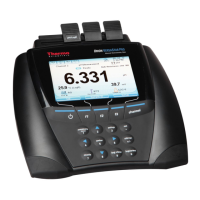
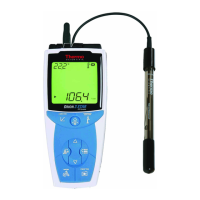
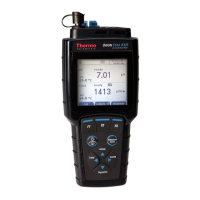
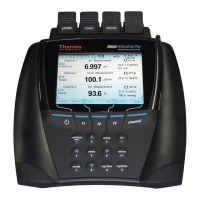
The Thermo Scientific Orion VERSA STAR is an advanced electrochemistry benchtop meter designed for precise and versatile laboratory measurements. This modular device offers four channels that can be configured with various measurement modules, allowing for a wide range of electrochemical analyses. The meter automatically recognizes modules as they are added or removed, providing flexibility in setting up the system for specific experimental needs.
Function Description
The VERSA STAR meter serves as a central hub for multiple electrochemistry measurements, including pH, ion selective electrode (ISE) concentration, conductivity, dissolved oxygen (DO), and oxidation-reduction potential (ORP). It supports five distinct measurement modules:
- VSTAR-PH Module: This module measures pH, millivolts (mV), relative mV, or ORP, all with temperature compensation. It's ideal for standard pH measurements and redox potential analyses.
- VSTAR-ISE Module: Designed for ion selective electrode measurements, this module determines ion concentrations. It also supports pH, mV, relative mV, and ORP measurements, with integrated temperature compensation.
- VSTAR-LR Module: This specialized module measures pH, mV, or ORP with temperature, incorporating LogR technology. A key feature of LogR technology is its ability to measure sample temperature directly using a glass-bulb pH electrode, eliminating the need for a separate automatic temperature compensation (ATC) probe in samples. This simplifies setup and reduces potential sources of error.
- VSTAR-CND Module: This module is dedicated to measuring conductivity, total dissolved solids (TDS), salinity, or resistivity, all with temperature compensation. It's suitable for applications requiring precise control over solution properties.
- VSTAR-RD Module: For dissolved oxygen measurements, this module determines DO as a percentage of saturation or as a concentration. It is compatible with both RDO® optical and polarographic probes, offering flexibility based on the specific DO measurement requirements.
The meter's modular design means that users can combine these modules in any configuration across the four available channels, adapting the instrument to diverse analytical tasks. Preconfigured meter systems are also available, which may include a selection of modules and blank modules for unused channels.
Usage Features
The VERSA STAR meter is designed for ease of use, featuring a large, bright color display that can be customized to show only the necessary measurements and information. This allows for clear and efficient data visualization, supporting simultaneous display of one to four measurements in any combination.
- Intuitive Interface: The meter's interface is designed for quick setup and calibration. Step-by-step instruction prompts guide users through various processes, making operation straightforward.
- Numeric Keypad and Function Keys: A numeric keypad facilitates data entry, while menu-specific function keys streamline meter operation. Shortcut keys provide quick access to measurement, setup, calibration, data log, and calibration log menus.
- Channel Management: When multiple modules are connected, the "channel" key allows users to cycle through different display configurations, showing individual channels or combinations of two, three, or four channels simultaneously. The display options are customizable through the Instrument Settings setup menu.
- Measurement Read Types: The meter supports various measurement read types, including Auto-Read (AR), Timed (TM), and Single-Shot (SS). Auto-Read automatically locks a stable reading, Timed takes readings at set intervals, and Single-Shot captures a single measurement.
- Electrode Stand: The included electrode stand can be attached to either side of the meter, and up to two stands can be used. A weighted base is also available for standalone use. The stand includes an electrode arm, pivot pin, electrode holder, ATC spacer, and RDO clip for secure and convenient electrode placement.
- Connectivity: The VERSA STAR offers multiple connectivity options for data transfer and external control. It includes USB (Micro AB and Mini B) and RS232 inputs for connecting to computers and printers. It also features two stirrer probe inputs (STIRRER 1 and STIRRER 2) that power and control Orion Star stirrer probes, eliminating the need for separate magnetic stir bars and plates. A ground receptacle is provided to reduce interference from other equipment.
- Power Adapter: A universal power adapter with interchangeable plug plates (US, EU, UK, China) is included, ensuring compatibility with various power outlets.
- Language Support: The meter interface can be set to a variety of languages, enhancing user accessibility.
- Data Logging and Printing: The meter supports manual logging and printing of measurements. Data log and calibration log menus are easily accessible, and output settings (Communication, Printing, Printing Format) can be configured in the Instrument Settings menu to ensure proper interfacing with printers or computers.
- Alarm Indicators: The meter includes alarm functions such as High Limit Alarm, Low Limit Alarm, Cal Due Alarm, and Set Point Alarm. These alarms are displayed on the screen and can be enabled in the channel-specific setup menu, providing critical alerts to the user.
- Electrode Diagnostics: For pH, pH/ISE, and pH/LogR modules, a pH electrode condition icon provides visual feedback on electrode performance based on the last calibration and measurement stability. This icon indicates whether the electrode condition is good, fair, or bad, helping users determine if cleaning, conditioning, or troubleshooting is required.
Maintenance Features
The VERSA STAR meter is designed with consideration for maintenance and longevity.
- Module Insertion and Removal: Measurement modules can be added or removed at any time, even with the meter powered on or off. This hot-swappable design simplifies configuration changes and module replacement. The meter automatically recognizes new modules and updates the channel ID display, or indicates removal with dashes.
- Software Updates: The meter supports software upgrades, and users are encouraged to visit the Thermo Scientific website to download the latest software releases and USB drivers.
- Self-Test Function: The meter includes a self-test function to assist with troubleshooting, helping users diagnose potential issues with the device.
- Documentation: A comprehensive reference guide is provided, and users are advised to read it thoroughly to ensure proper use and to avoid actions that could invalidate the meter warranty or cause permanent damage.
- Calibration Certificate: Each VERSA STAR meter is fully tested and certified by Thermo Fisher Scientific, and a certificate of calibration is included with each meter and measurement module system, assuring quality and accuracy.
- RDO Cap Life Information: For the RDO/DO module, the display provides information on the RDO optical cap life, changing from green to red when 30 days or less of cap life remain. This helps users proactively manage probe maintenance.


 To Next Page

 General