- 17 -
Temperature Limits
The controller is used to set the high and low temperature limits. If a limit is
exceeded the controller will display an error code, see Section V.
With the controller displaying the reservoir fluid temperature, press and hold
the NO key and then press the NEXT ENTER key. The controller will display
TUNE. Press the YES key to display COOL. Press the NO key to display
either HEAT or HIT, for high temperature limit. (HEAT is only displayed on
units with an optional heater, press NO to display HIT.)
To change the HIT value press YES. The display will flash HIT and the actual
value. Use the YES and NO keys to change the value. Once the desired
value is displayed press the NEXT ENTER key twice. The display will indicate
LOT for low temperature limit. Use the same procedure to change the low
temperature limit. The display will indicate STOR. Press YES to accept the
changes, press NO to restore the previous values. The controller will again
display the reservoir fluid temperature.
Pressure Relief Valve
PD pumps have a pressure relief valve that establishes the maximum operat-
ing pressure of the unit. If the pressure of the fluid leaving the pump exceeds
the valve setting, the relief valve bypasses the fluid within the unit to relieve
the pressure. The relief valve does not determine the actual operating pres-
sure; the system back pressure determines operating pressure.
If an adjustment is necessary, contact our Customer Service Department.
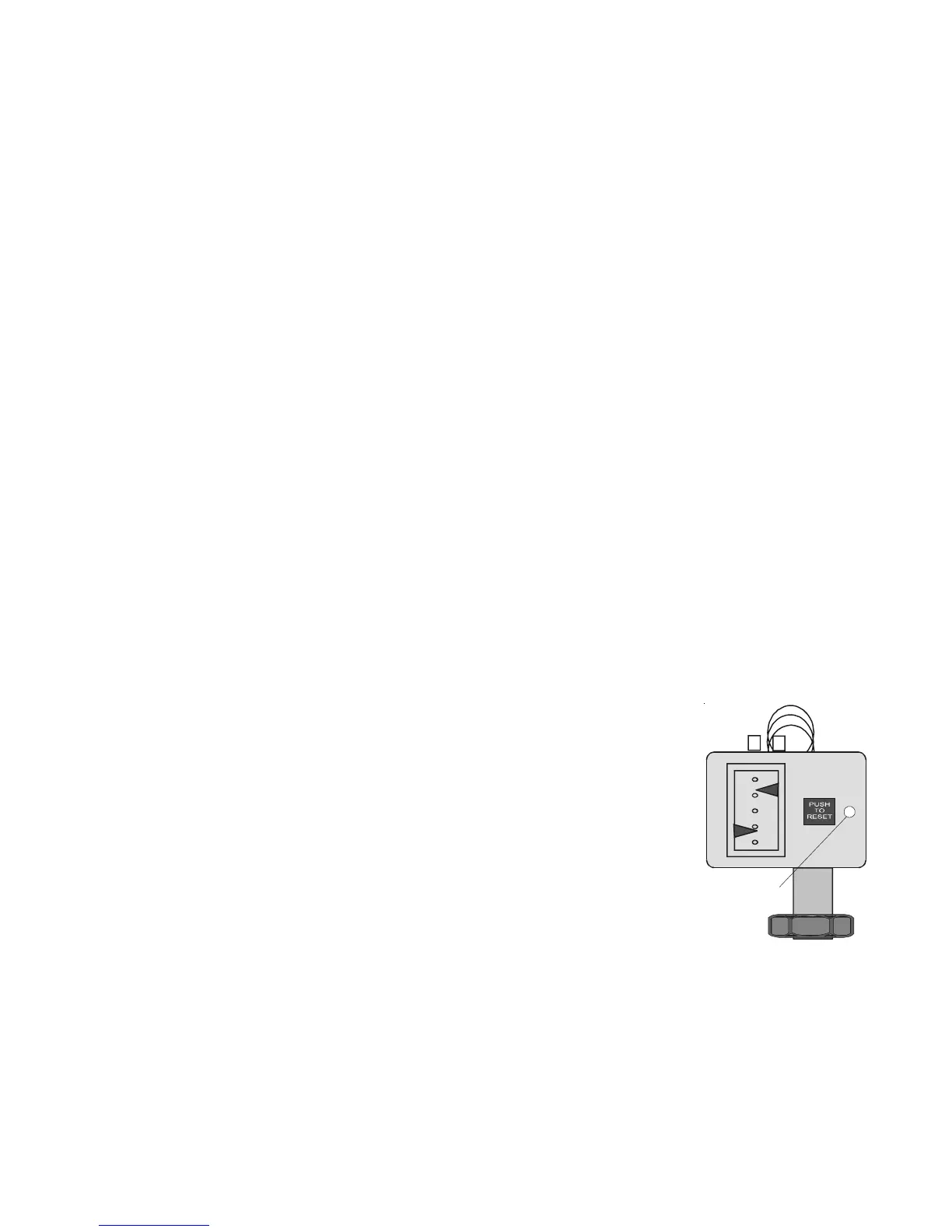
High/Low
Pressure Cutouts
All CFT-300 units are equipped with refrigeration
High Pressure Cutouts (HPC) and Low Pressure
Cutouts (LPC). Some CFT-150 units are equipped
with an HPC. Should either cutout activate the unit
will shut down.
The HPC activates if there is a blockage in the
refrigeration lines or if the refrigerant temperature
becomes too hot. The HPC is factory preset at 400
psi.
The LPC activates if there is a leak in the refrigera-
tion lines. THE LPC is factory preset at 4 psi.
The cutouts are located inside the case behind the rear panel. Once the cause
of the shut down has been determined and corrected, manually depress the
white button on the applicable cutout. If a "click" is not heard when depressing
the button, the cutout was not activated and the unit shut down for another
reason.
Reset
HPC/LPC (Typical)


 To Next Page