MULTISKAN RC and MS SERVICE MANUAL
6.
ADJUSTING THE CLOCK FREQUENCY
A) Press "CALC MODEv-key. Select
1
ADJUSTMENTandpress "ENTER-key. Select
10
CLOCK FREQUENCY and press "ENTER-key.
B)
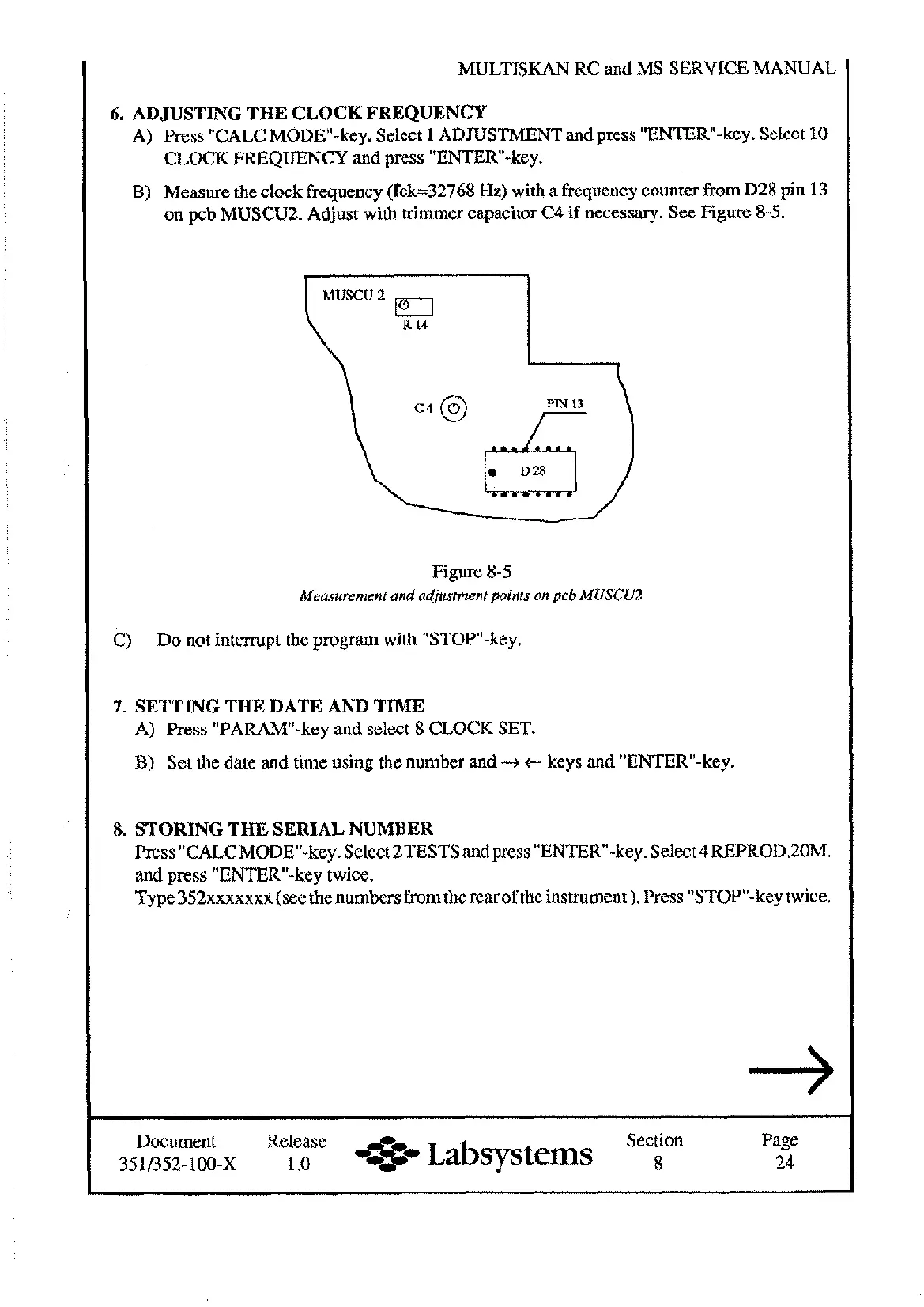
Measure the clock frequency (fck=32768
Hz)
with a frequency counter from D28 pin
13
on pcb MUSCU2. Adjust with trimmer capacitor C4
if
necessary. See
Figure
8-5.
Figure 8-5
Measurement and adjustment points on pcb MUSCUZ
C)
Do not interrupt the program with "STOP"-key.
7.
SETTING THE DATE AND TIME
A) Press "PARAW-key and select 8 CLOCK SET.
B)
Set the date and time using the number and
-+
c
keys and "ENTER-key.
8.
STORING THE SERIAL NUMBER
Press "CALCMODEW-key. Select 2TESTS and press "ENTER-key. Select4REPROD.ZOM.
and press "ENTER-key twice.
Type352xxxxxxx (see thenumbers from the rear of the instrument). Press "STOPn-key twice.
Document Release Section Page
3~352-100-x
1
.o
*
Labsystems
8
24
Artisan Technology Group - Quality Instrumentation ... Guaranteed | (888) 88-SOURCE | www.artisantg.com










 To Next Page