visually that there are: no loose parts inside the instrument.
Close
the
insmment cover and replace
the
retaining screws.
EX
does not
ce
operating noise at
a
level whish could cause a ham
ents
are
needed nstdlation.
Connect
the
mains
supply co to
the
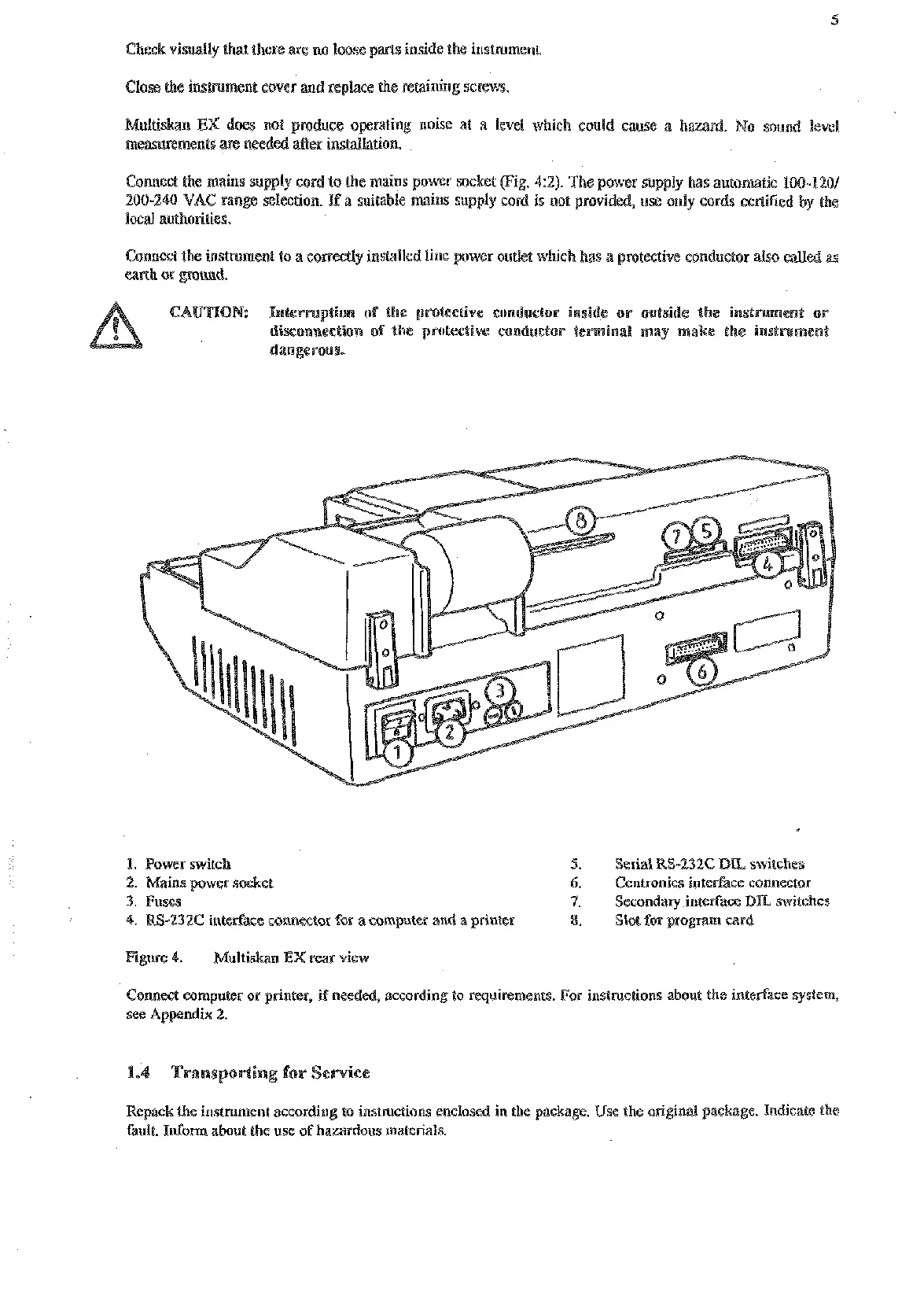
mains power socket (Fig. 42). The power supply has automaiic 100-1401
200-240 VAC range selection.
If
a suitable mains supply cord
is
not provided, use only cords cerliGed by the
local
auehorities.
Comest the insmment to
a
correctly installed line power outlet which has
a
protective conductor also called
earth
or
pound.
ption of the protectiw conductor inside or outside e inslmment or
isconnection of the protective conductor le
1.
Power switch
5.
Serial
RS-232C
DU
switches
6.
Centronics interface connector
3.
Fuses nterface
DL
switches
-232C inter(% annestor for a computer and a printer
gram
card
4.
Mnltiskan
EX
rear
view
Connest computer or printer, if needed, according to requirements. For instmctions about the interface system,
Repack
the
insmment according to instructions enclosed in the package. Use the original paskage. Indicate the
fault. Infom about the use of hazardous materials.
Artisan Technology Group - Quality Instrumentation ... Guaranteed | (888) 88-SOURCE | www.artisantg.com










 To Next Page