User Manual
10.
Remote control of the unit
It is possibile to control the unit remotely with two different methods:
Free contacts on the user terminal (X);
ModBus protocol on RS485 slave;
Remote keypad
11.
Controlling the unit remotely by free contacts
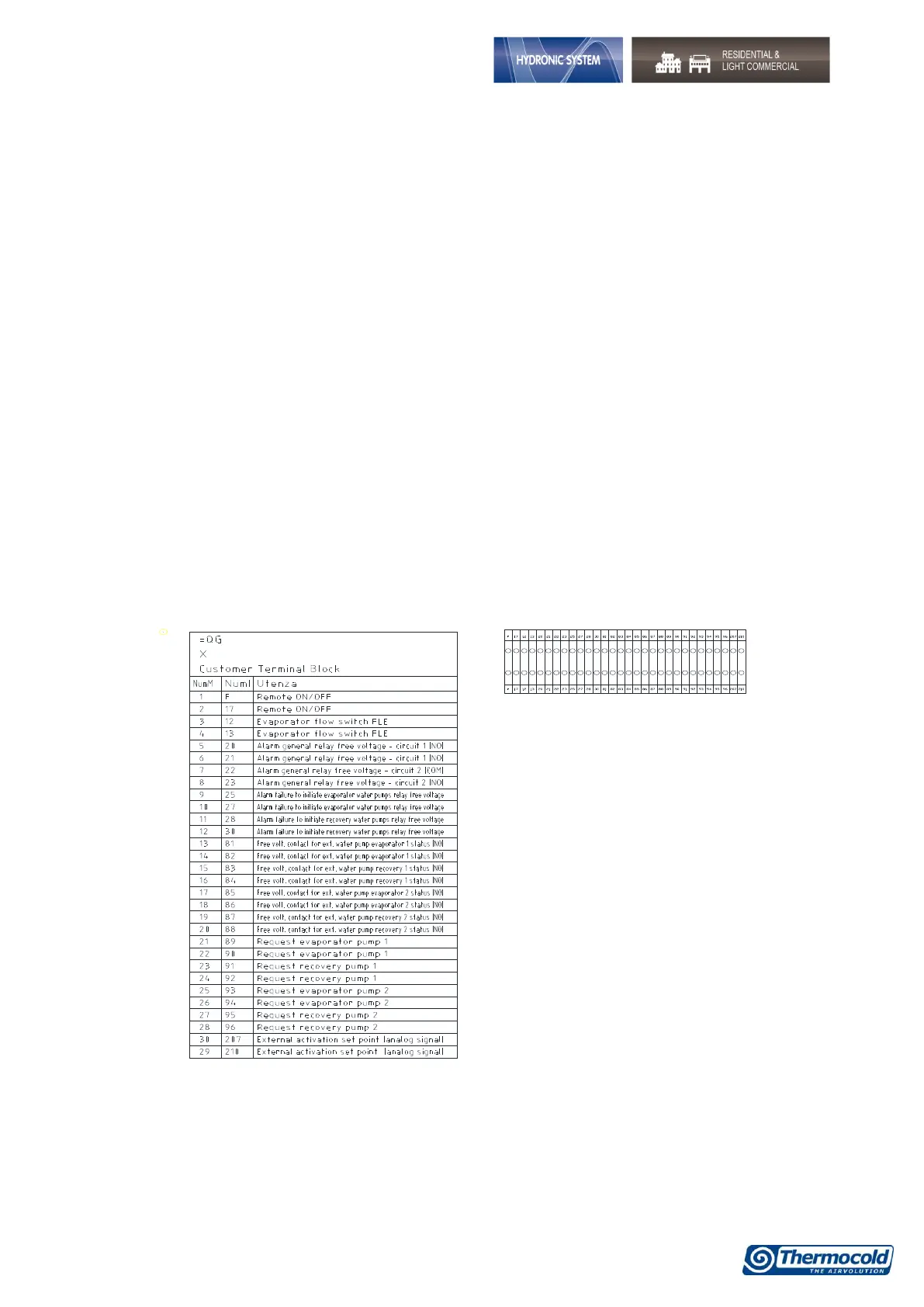
On the X user terminal there are four free terminals where you can connect any type of temperature control
device able to provide a current pulse to close the relay for the unit activation.
The terminals are those with the numbers 6, 20, 22B, 23 and 29, on the X user terminal (always refer to the
wiring diagram included), this contact is generally a normally open contact.
With these contacts you can enable remote On/Off, S/W change.
To enable the remote S/W changing you need modify CF28.
On the same terminal are also available free contacts for external reporting of general alarm.


 To Next Page