User Manual
2.
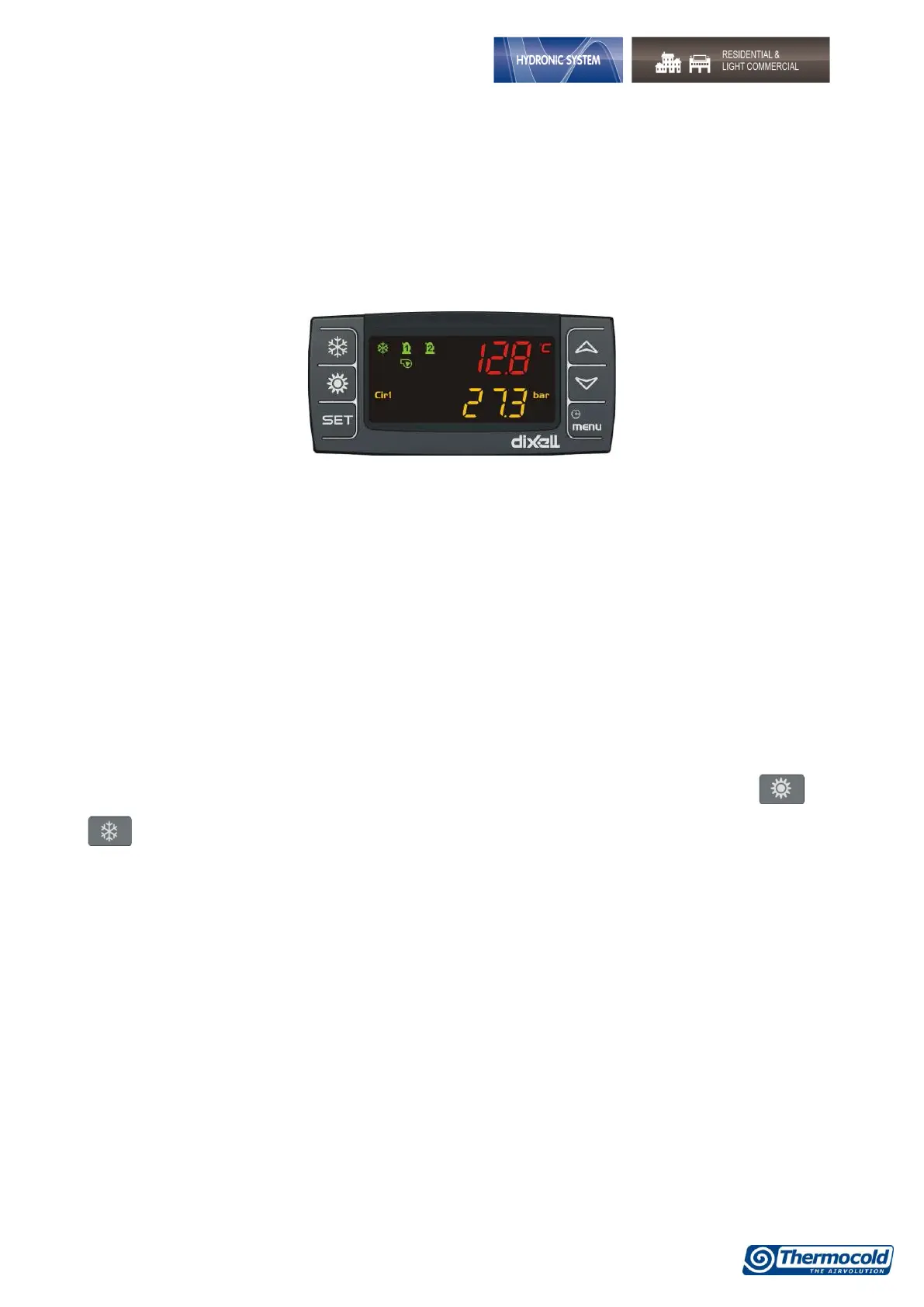
Display description
Through the LED display, you can monitor and change the status of the unit, using the 6 buttons
positioned in the lower part of the keypad
Available information on display:
By pressing the UP and DOWN keys on the Home screen, you can view the following values:
• "Pb1": Displays the water temperature at the exchanger inlet air-conditioning;
• "Pb2": Displays the temperature of the water leaving the exchanger of air-conditioning;
• "Pb4": Displays the outside air temperature (only for air / water if present);
• "Pb3": Display the condensing pressure in cooling mode, and the evaporating pressure in heating
mode;
“Pb4”: Displays the temperature of the water leaving the exchanger of source side (only for
water/water if present).
In addition to the input buttons in the menus listed below, are also present in the home screen and
buttons that allow you to activate the machine operation respectively in summer and winter
operation.
The display shows OnC when the unit is on and chiller, OnH when the unit is turned on in heat pump and
OFF when the unit is key to OFF.
Description of the icons on the display:


 To Next Page