www.thermoworks.com/wand | 801-756-7705
Power Off Device – Device will auto-off after 60 seconds to
save battery life. Or, press and hold Power button for about 5
seconds. ‘Off’ will flash before powering off.
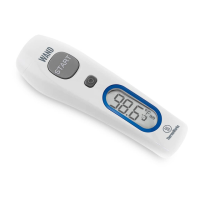
View Readings – With device turned on, press Power button
momentarily to see the last reading, which is reading number 1.
Each subsequent press of the Power button will show up to 25
readings in order. The reading number will flash before displaying
the value.
Mute – With device turned on, press and hold Power button for
3 seconds until speaker icon flashes, then release. Repeat steps to
unmute.
Change to Surface Mode – With device turned on, press and
hold Power button, then press Start to toggle between modes.
Device will automatically return to forehead mode after powered
off and back on again.
Change from °F to °C – Default unit is °F. With device turned off,
press and hold Start and the Power button simultaneously for three
seconds. Units will change.
• Forehead should be clean, dry, and unobstructed before taking readings.
• WAND is not waterproof. Avoid wet areas and splashes.
• Do not expose device to temperatures above 100°F (38°C) or below 50°F
(10°C).
• Replace batteries when battery icon flashes.
• Store device at room temperature where readings will be taken for best
results.
• Avoid drops, bumps, and rough handling that could damage device.
• Sensor lens area is the most delicate part; keep clean and free from
debris.
• Consult user manual before cleaning lens.
Functions
Cautions


 To Previous Page