
 Need help?
Do you have a question about the ThermoWorks WAND and is the answer not in the manual?
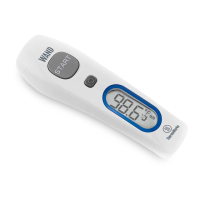
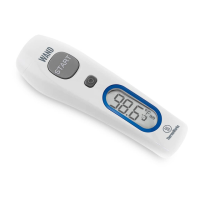
Press the Power button to turn on the device. The device is pre-set to forehead mode.
Point the device at the center of the forehead from 1-2 inches away.
Press and hold the START button for 1 second until a single beep indicates completion.
Device auto-off after 60 seconds or manual power off by holding the Power button for 5 seconds.
Press Power button momentarily to cycle through up to 25 stored readings.
Hold Power button for 3 seconds until speaker icon flashes to mute/unmute.
Toggle between forehead and surface modes by holding Power and pressing Start.
Hold Start and Power buttons simultaneously for three seconds to switch between °F and °C.
Ensure forehead is clean and dry. Avoid temperatures outside 50°F-100°F and moisture.
WAND is not waterproof. Handle with care, protect sensor lens from debris, and replace batteries when indicated.
 General
| Display | Backlit LCD |
|---|---|
| Power Source | 2 AAA batteries |
| Emissivity | Fixed at 0.95 |
| Operating Temperature | 32 to 122°F (0 to 50°C) |
| Storage Temperature | -4 to 140°F (-20 to 60°C) |
| Response Time | 500 ms |
| Resolution | 0.1°F/°C |

 To Next Page