Need help?
Do you have a question about the THIEYE i60+ and is the answer not in the manual?
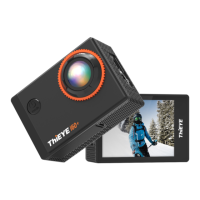
Identifies camera buttons, ports, and screen elements for basic operation.
Details requirements, handling, and formatting for compatible memory cards.
Step-by-step instructions for charging the camera's battery before first use.
Instructions for turning the camera on/off and understanding display icons.
Introduction to Video, Photo, Slow Motion, and Playback modes.
Instructions for operating each specific camera mode, including button functions.
Guides on playing back and deleting recorded videos and photos.
Navigating the setup menu and adjusting various camera options.
Linking camera to phone via Wi-Fi and using the ThiEYE app.
Adjusting resolution, frame rates, and timing settings for recording.
Configuring Wi-Fi, display, car mode, and other system options.
Transferring recorded files to a computer or smartphone.
Guidelines for cleaning, handling, and protecting the camera.
Tips for maximizing battery life and proper storage.
Attaching the camera to its housing and selecting different backdoors.
Securing the camera onto various external mounts.
 General
| Brand | THIEYE |
|---|---|
| Model | i60+ |
| Category | Action Cameras |
| Language | English |

 To Next Page