11
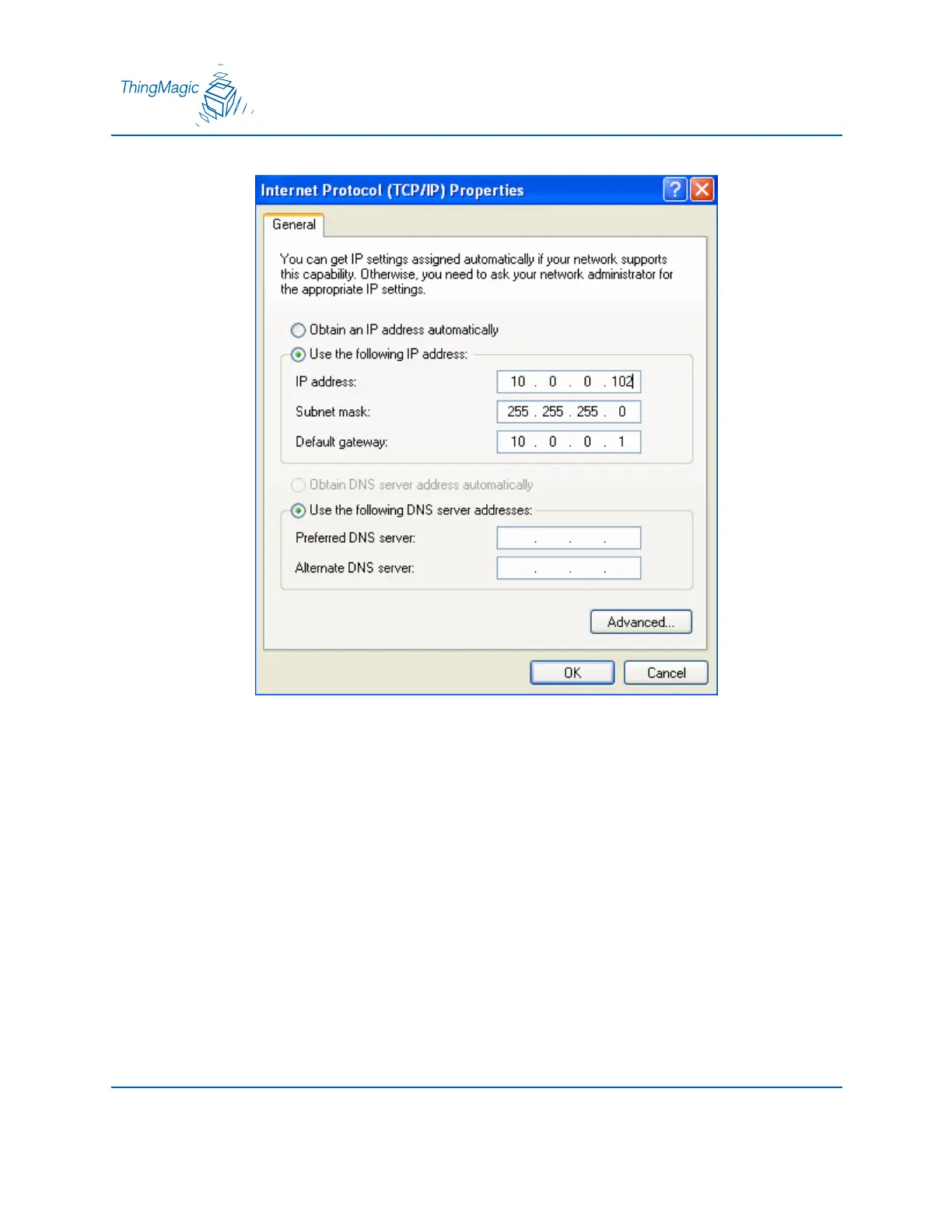
9. Select the radio button labeled “use the following IP address:”
10. Enter the settings as shown below.
IP address: 10.0.0.102
Subnet Mask: 255.255.255.0
Default Gateway: 10.0.0.1
11. Click OK to save and exit the window.
12. Click OK at the Local Area Connection Properties window.


 To Next Page