Setting Up For Single Reader Operation
2
Setting Up For Single Reader Operation
The following section describes how to setup the reader for single reader operation. To setup
the reader as part of a larger scale deployment, see the section Networking the Reader
on
page 14.
Required Equipment
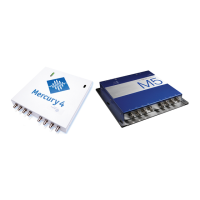
Enclosed with your Mercury4 and 5 reader are the following parts:
A Mercury4 (TM-M4-NA-02) or Mercury5 Reader (TM-M5-NA-02)
Power converter with extension power cable (3m (10ft)) (TM-M4-PS)
Shielded ethernet crossover cable (CAT5:TM-CAB-CROSS5)
This Mercury4 and 5 User Guide (TM-M4/5-X-INSTALL)
You’ll also need the following additional hardware:
Up to four Bistatic antennas
Two antenna cables for each antenna
A computer with a java-enabled web browser
Note
There is no software to install.
Set Up Procedure
The following pages detail these steps and show how to get you up and running quickly.
1. Connect the Antenna(s) to the Reader
on page 3
2. Power-Up the Reader
on page 5
3. Connect Your PC to the Reader
on page 8
4. Set Your PC’s TCP/IP Setting
on page 9
5. Log On to Reader
on page 12


 To Next Page