17
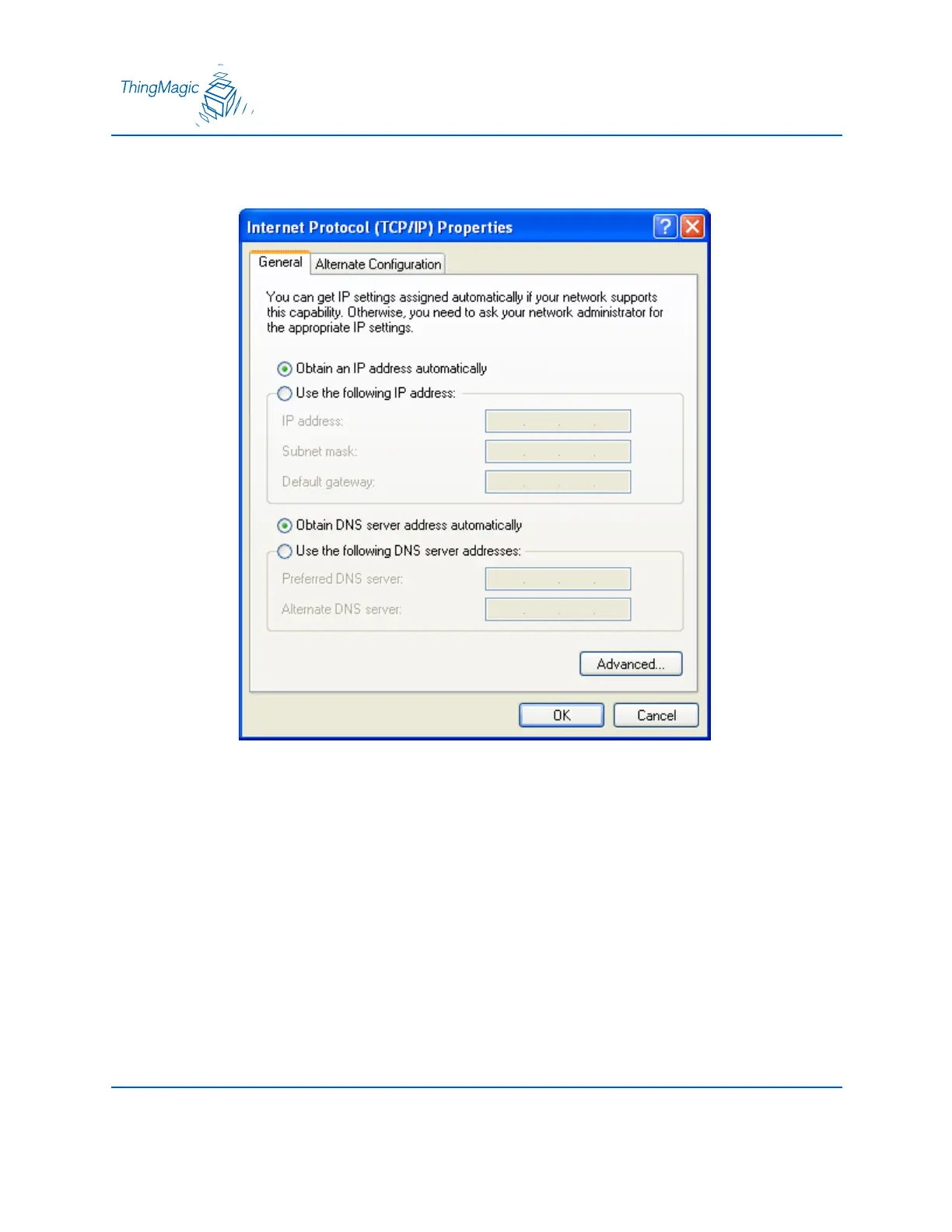
9. The Internet Protocol (TCP/IP) Properties window appears.
10. Select the radio button “Obtain an IP address automatically”.
11. Click the OK button to save and exit the Internet Protocol Properties window.
12. Click the OK button at the Local Area Connection Properties window.
13. Click the Close button at the Local Area Connection Status window.
14. Several moments pass as the PC saves its new network settings.


 To Next Page