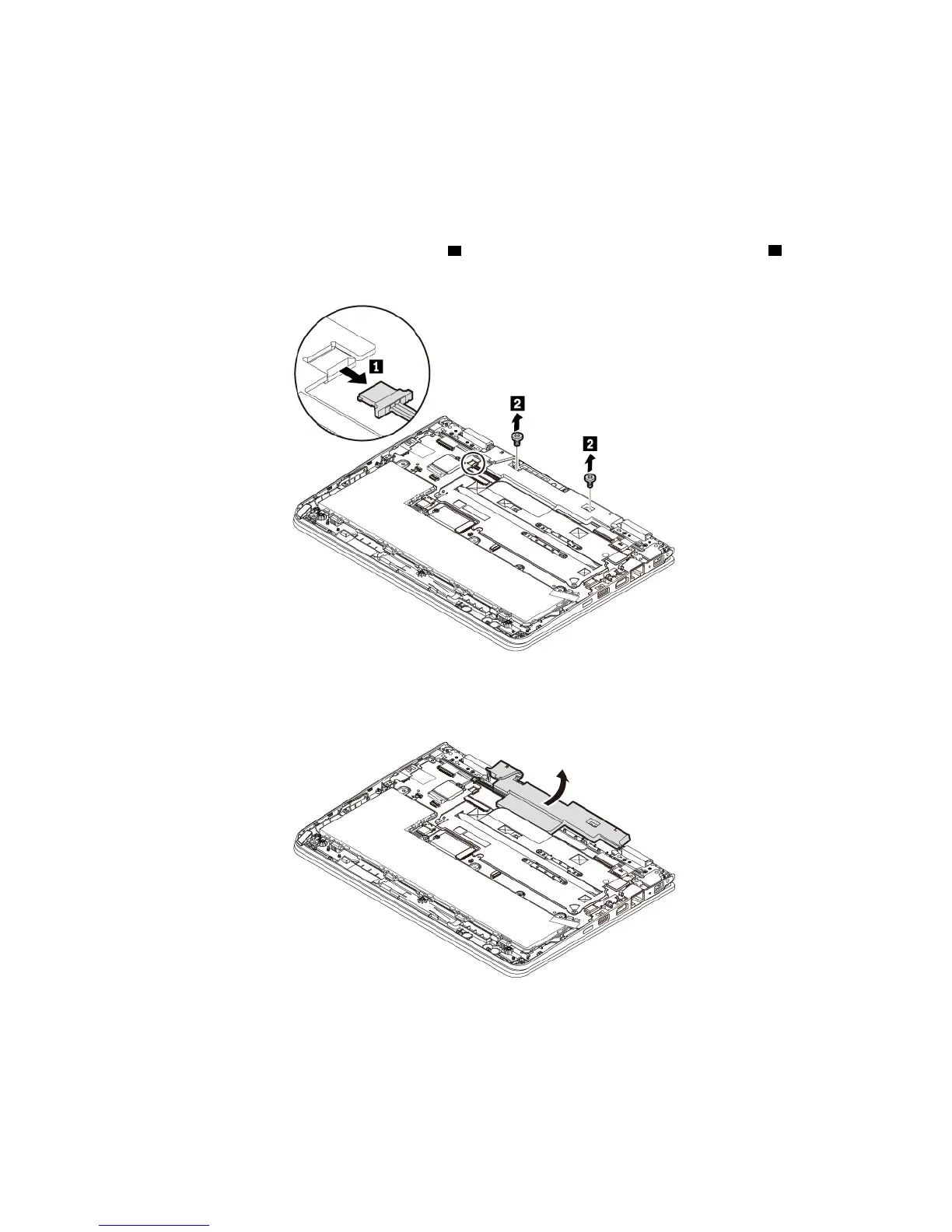
To replace the speaker assembly, do the following:
1. Disable the built-in battery. See “Disabling the built-in battery” on page 84.
2. Ensure that the computer is turned off and disconnected from ac power and all cables.
3. Close the computer display and turn the computer over.
4. Remove the base cover assembly. See “Replacing the base cover assembly” on page 85.
5. Detach the connector of the speaker assembly
1 from the system board. Remove the screws 2 .
6. Remove the speaker assembly.
96 11e 5th Gen and Yoga 11e 5th Gen User Guide


 To Next Page