
 Need help?
Do you have a question about the ThinkPad 11e 5th Gen and is the answer not in the manual?
General introduction to safe computer usage and importance of retaining documentation.
Tips for optimal computer use and avoiding discomfort or injury.
Precautions regarding hot surfaces and avoiding prolonged contact with the computer.
Safety instructions for power cords and adapters, including proper usage and inspection.
Safety precautions for using electrical plugs and outlets, including grounding and overload.
Warnings about battery abuse, mishandling, and proper disposal procedures.
Instructions not to replace the built-in battery and to recharge only as specified.
Coin-cell battery replacement information and California Perchlorate notice.
Introduction to the computer's hardware features, controls, and indicators.
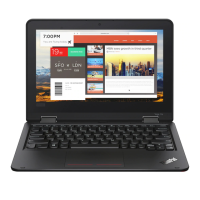
Identification and description of components visible from the front of the computer.
Detailed description of ports and slots on the left side of the computer.
Detailed description of ports and controls on the right side of the computer.
Illustration and description of components on the bottom of the computer.
Information on locating and identifying various status indicators on the computer.
Benefits and process of registering the computer with Lenovo.
Tips for optimizing performance and links to FAQs.
Description of the computer's four operating modes: notebook, stand, tablet, and tent.
Instructions on using touch gestures for the multi-touch screen.
Explanation of special keys and their functions for enhanced usability.
How to use the touch pad for navigation and pointer control.
Information on managing power usage for optimal balance between performance and saving.
Information about wireless connectivity options.
How to connect and use Bluetooth devices for peripheral connection and data transfer.
Information about the computer's audio capabilities and components.
How to use the front and rear cameras for photos and video calls.
How to install and remove microSD cards for data storage.
Instructions on connecting external displays and choosing display modes.
Tips for working with the computer while traveling, including airport security and airplane travel.
Information on purchasing accessories and upgrades to enhance computer capabilities.
Detailed information about the ThinkPad Pen Pro, its features, and usage.
Instructions on how to charge the ThinkPad Pen Pro.
Information on using power-on, supervisor, and hard disk passwords for security.
Tips to enhance security against unauthorized access and attacks.
Methods for securely deleting data before disposing of or selling the computer.
How firewalls protect against internet security threats and unauthorized access.
Information on using antivirus software to protect data from viruses.
Step-by-step instructions for installing the Windows 10 OS.
Process of installing device drivers for hardware components.
How to access and configure BIOS settings.
How to modify the order of boot devices.
Settings for Intel SpeedStep and thermal management.
BIOS security settings like Supervisor Password and Lock UEFI BIOS.
Options for configuring the computer's startup sequence.
Preventing issues with regular maintenance and backups.
Using Lenovo Companion for diagnosing hardware problems.
Steps to resolve a computer that is unresponsive.
Immediate actions to take if liquid is spilled on the keyboard.
List of error messages and their corresponding solutions.
Troubleshooting steps for memory module issues.
Solutions for common network connectivity issues.
Troubleshooting steps for non-functional keyboard keys.
Solutions for screen issues like blanking or no display.
Troubleshooting steps for issues with external monitors.
Solutions for issues related to sound playback and recording.
Troubleshooting steps for battery charging and performance issues.
General troubleshooting for power issues, including no power or battery not working.
Troubleshooting for issues encountered during the boot process.
Solutions for unexpected sleep/hibernation or failure to resume.
Troubleshooting slow read/write performance with solid-state drives.
Steps to diagnose and resolve issues with software applications.
Troubleshooting steps for USB devices not working.
How to reset the computer to its factory state, with options to keep files.
How to access and use advanced startup options for system recovery.
Procedures for recovering the OS when Windows 10 fails to boot.
Steps to create a backup recovery USB drive and use it for recovery.
Information on parts that can be replaced by the customer (CRUs).
Precautions to avoid damage from static electricity when handling components.
Steps to disable the internal battery before replacing parts.
Instructions for replacing the microSD card.
Steps to remove and replace the computer's base cover assembly.
Instructions for replacing the M.2 solid-state drive.
Instructions for removing and replacing the computer's keyboard.
Instructions for replacing the power button card.
Instructions for replacing the ThinkPad Pen Pro charger.
Instructions for replacing the speaker assembly (for non-yoga models).
Pre-contact steps, including problem recording.
Overview of available help and service resources from Lenovo.
Information about the Lenovo Support website and its resources.
Guidelines and services available when calling Lenovo for support.
Supplemental information for the Ubuntu operating system.
Chapter providing regulatory and compliance information about Lenovo products.
Chapter providing environmental information about Lenovo products.
Chapter detailing the Restriction of Hazardous Substances (RoHS) Directive.
Chapter providing ENERGY STAR model information and energy efficiency.
Disclaimers and notices regarding product availability and user responsibility.
List of Lenovo trademarks and other company product names.
 General
| Graphics | Integrated Intel UHD Graphics 600 |
|---|---|
| Operating System | Windows 10 Pro |
| Color | Black |
| Processor | Intel Celeron N4100, Intel Pentium Silver N5000 |
| Display | 11.6" HD (1366 x 768) |
| RAM | 4GB or 8GB |
| Storage | Up to 256GB SSD |
| Weight | Starting at 1.4 kg |
| Battery Life | Up to 12 hours |
| Battery | 42Whr |
| Ports | HDMI, microSD card reader, Headphone / mic combo |
| Wireless | 802.11ac Wi-Fi, Bluetooth |
| Security | TPM 2.0, Kensington Lock Slot |

 To Next Page











