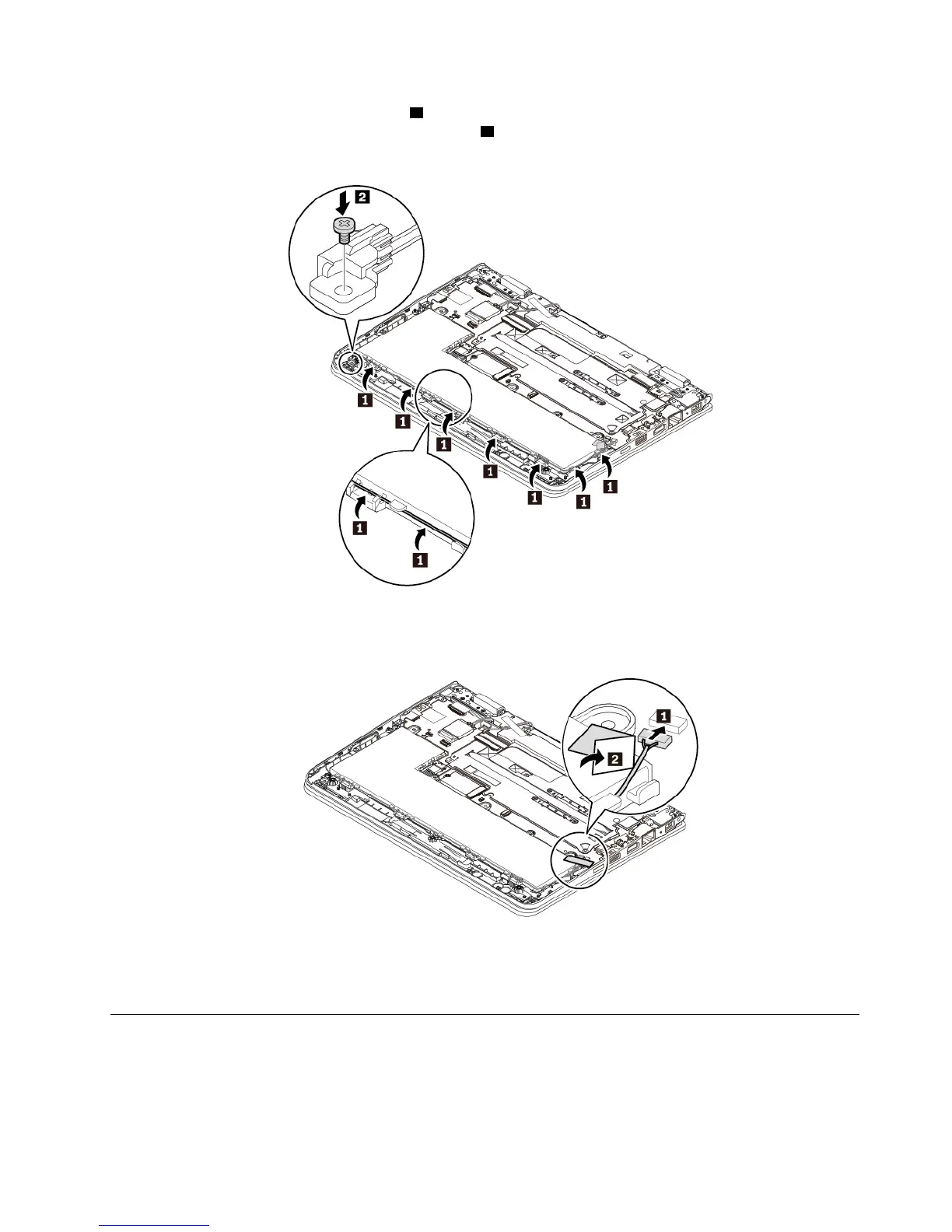
7. Route the pen charger cable as shown 1 . Place the pen charger to the correct location and install the
screw to secure the pen charger to the computer
2 .
8. Attach the pen charger cable connector to the system board. Secure the cable connector with the tape.
9. Reinstall the base cover assembly.
10. Turn the computer over. Connect the ac power adapter and all cables to the computer.
Replacing the speaker assembly
Before you start, read “Important safety information” on page v and print the following instructions.
Note: The following replacing steps are only for non-yoga models.
Chapter 9. Replacing devices 95


 To Next Page