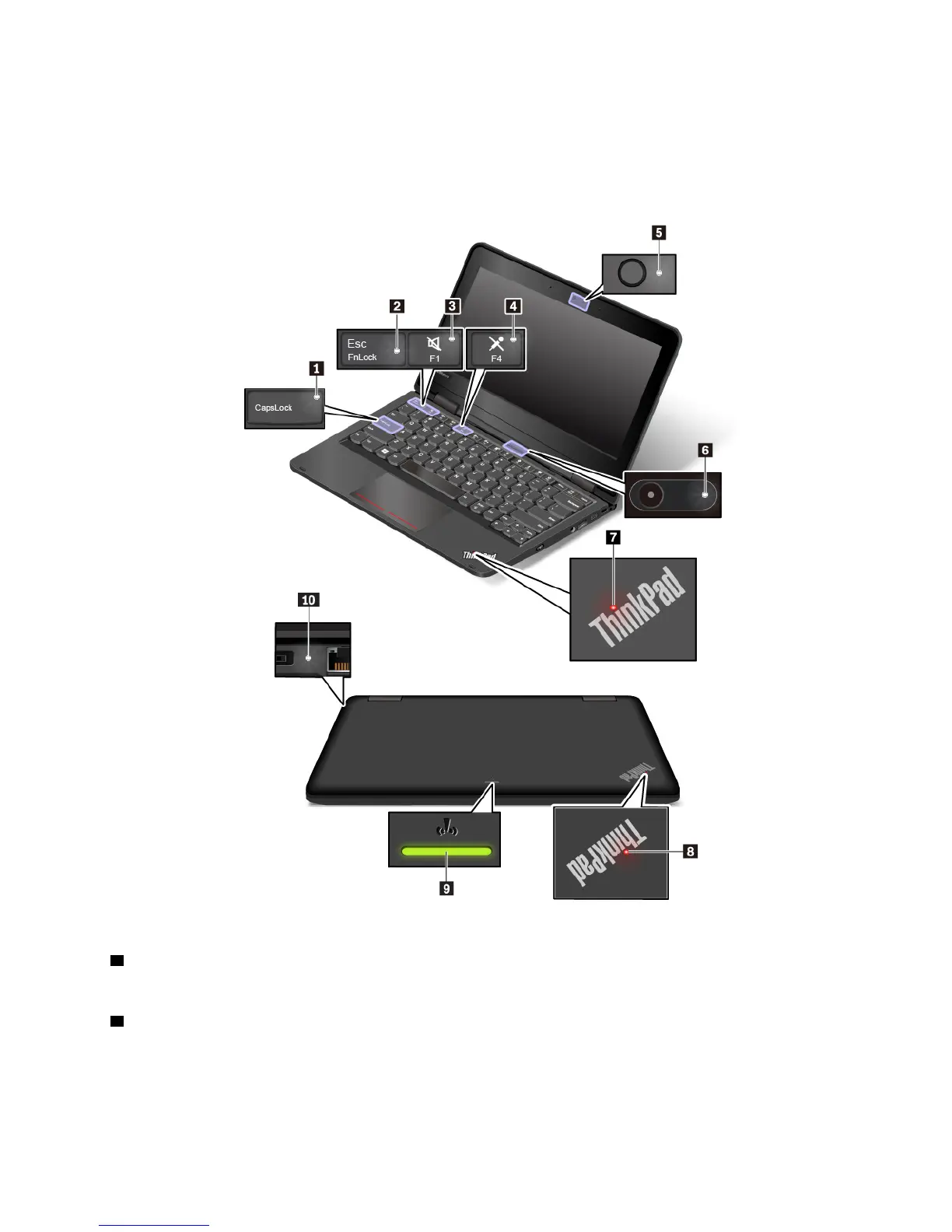
Status indicators
This topic provides information about locating and identifying the various status indicators on your computer.
Note: Depending on the model, your computer might look different from the following illustrations.
1 Caps Lock indicator
When this indicator is on, you can type uppercase letters by directly pressing the letter keys.
2 Fn Lock indicator
This indicator shows the status of Fn Lock function. For more information, see “Using the special keys” on
page 23.
Chapter 1. Product overview 7



 To Next Page