Using the ThinkPad Pen Pro
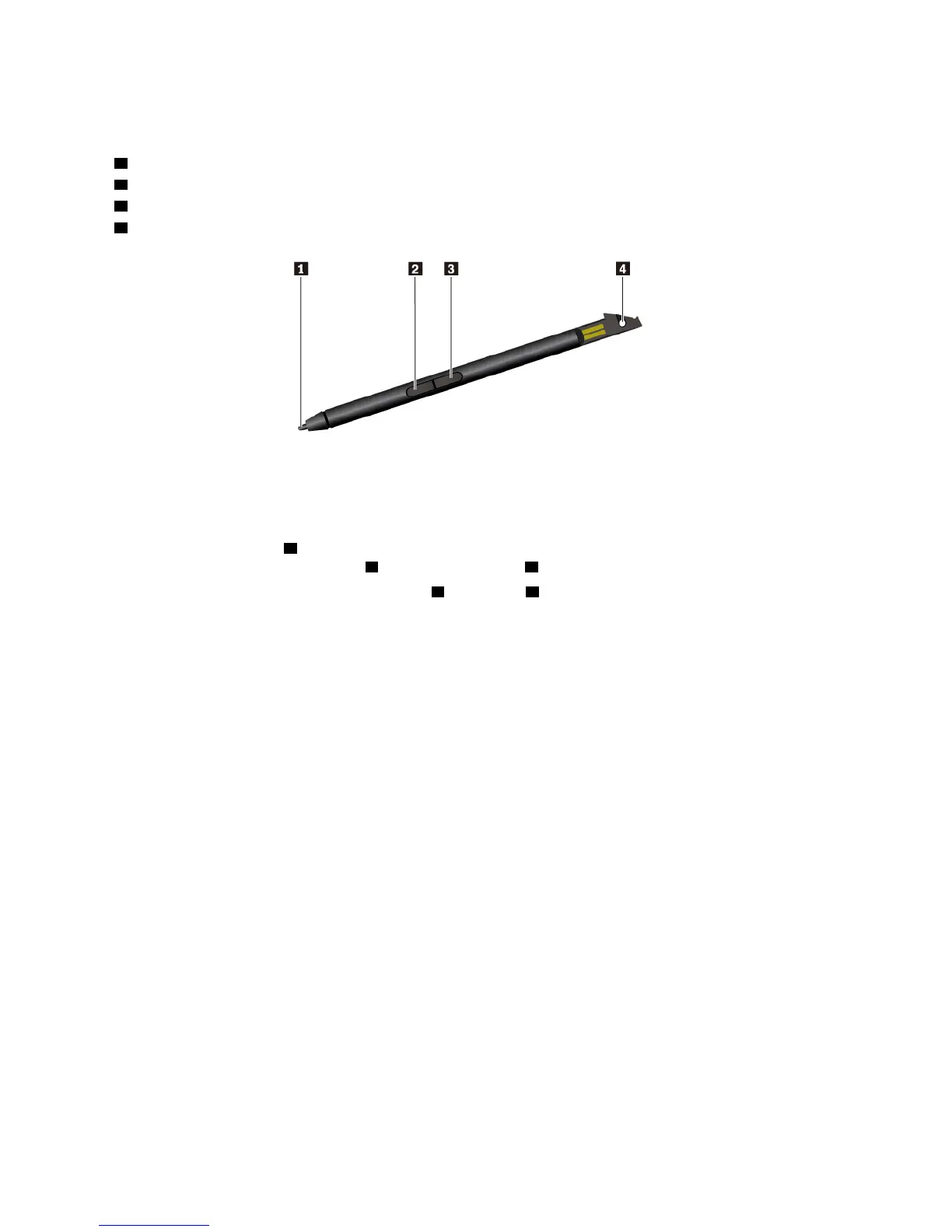
The following illustration shows the ThinkPad Pen Pro.
1 Tip
2 Eraser button
3 Right-click button
4 Pen tether hole
You can perform the following operations with the ThinkPad Pen Pro:
• To click or make a selection, tap the display once with the pen.
• To double-click, tap twice without pausing.
• To right-click, tap the tip
1 on the display and hold the pen there for one second. Alternatively, you can
press and hold the right-click button
3 while tapping the tip 1 on the display.
• To erase ink, press and hold the eraser button
2 , tap the tip 1 on the display, and drag the pen across the
ink you want to erase.
36
11e 5th Gen and Yoga 11e 5th Gen User Guide


 To Next Page