Open the battery cover and install the batteries, press and hold the
reset button for 5 seconds and release the hold; The LED light turns
blue blinking, indicating it enters pairing mode.
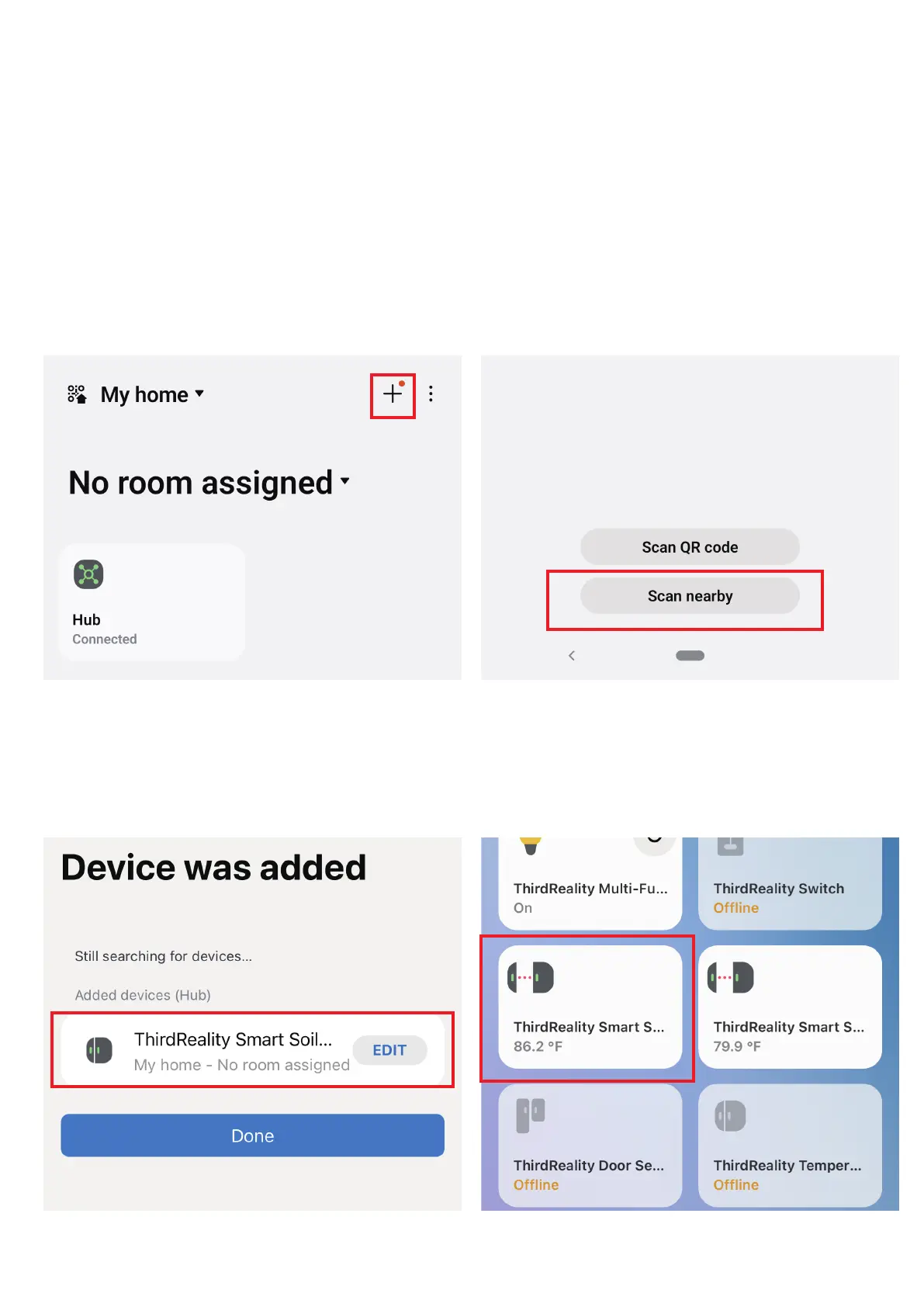
Open your SmartThings App, tap “+” on the up right corner to ”Add
device” and then tap “Scan nearby”.
3.
4.
The sensor will be added to your SmartThings hub in a few sec-
onds.
5.
12



 To Next Page