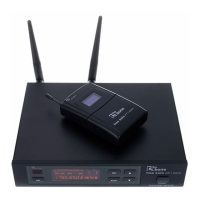
1. Open the transmitter to expose the infra red sensor.
2. Press [ADL]. The [IR] display blinks.
3. Hold the infra red sensor of the transmitter near the infra red interface of the receiver for
ten seconds.
4. When synchronization has been successfully completed, the [IR] display stops blinking.
ð
After three seconds, the display shows the normal sate again.
1. Hold down [SET] until the [SQ] area blinks on the display.
2. Use the arrow buttons to set the desired value. The current value is shown on the right
side of the display.
3. Press [SET] to confirm the selection.
ð
After three seconds, the display shows the normal sate again.
Synchronizing transmitter and
receiver
Setting squelch
Instructions for use
UHF wireless system
34



 To Next Page