4916 - 275th Street, Langley, BC, Canada V4W 0A3 · Telephone (604) 888-0110
Email: info@thomsonps.com · www.thomsonps.com
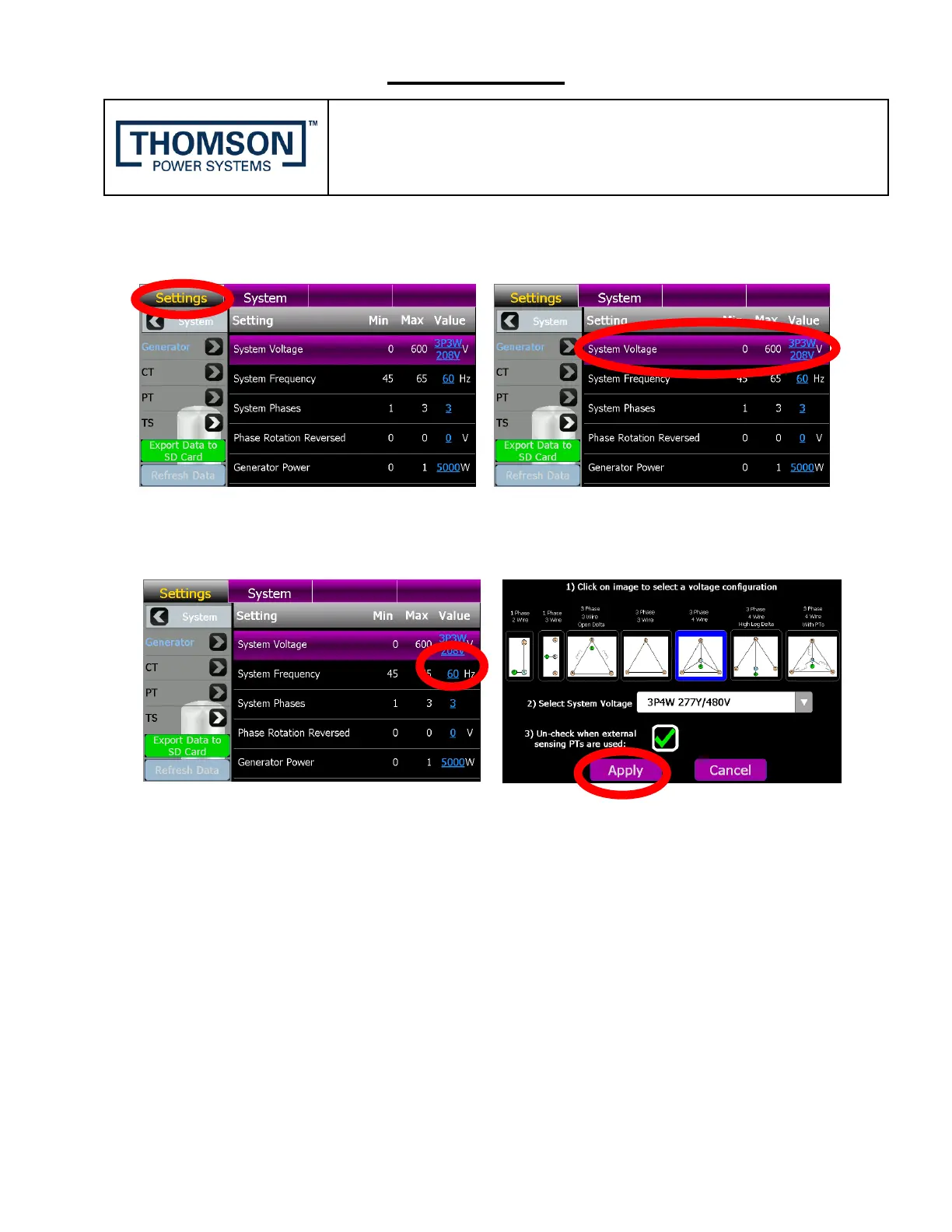
2. Once successfully logged in, From the TSC 900 DISPLAY Home Page, Navigate to the
Settings Page below and select System Voltage as shown below.
3. On the System Voltage Row, select the underlined System Voltage value and from the drop
down list which appears, select the desired voltage for the application as shown below. To
confirm the change, press the Apply button.


 To Next Page