6. OTHER INFORMATION
PIC ( Picture in computer)
When you have connected the PC signal with Tuner signal, you may open the function by pressing PR+/PR-.
The picture size is not adjustable, you may move the picture position from top left, top right, bottom left, bottom
right by pressing the Ÿ / ⁄ key.
You may chose the channel of picture by pressing numeric number.
Sockets
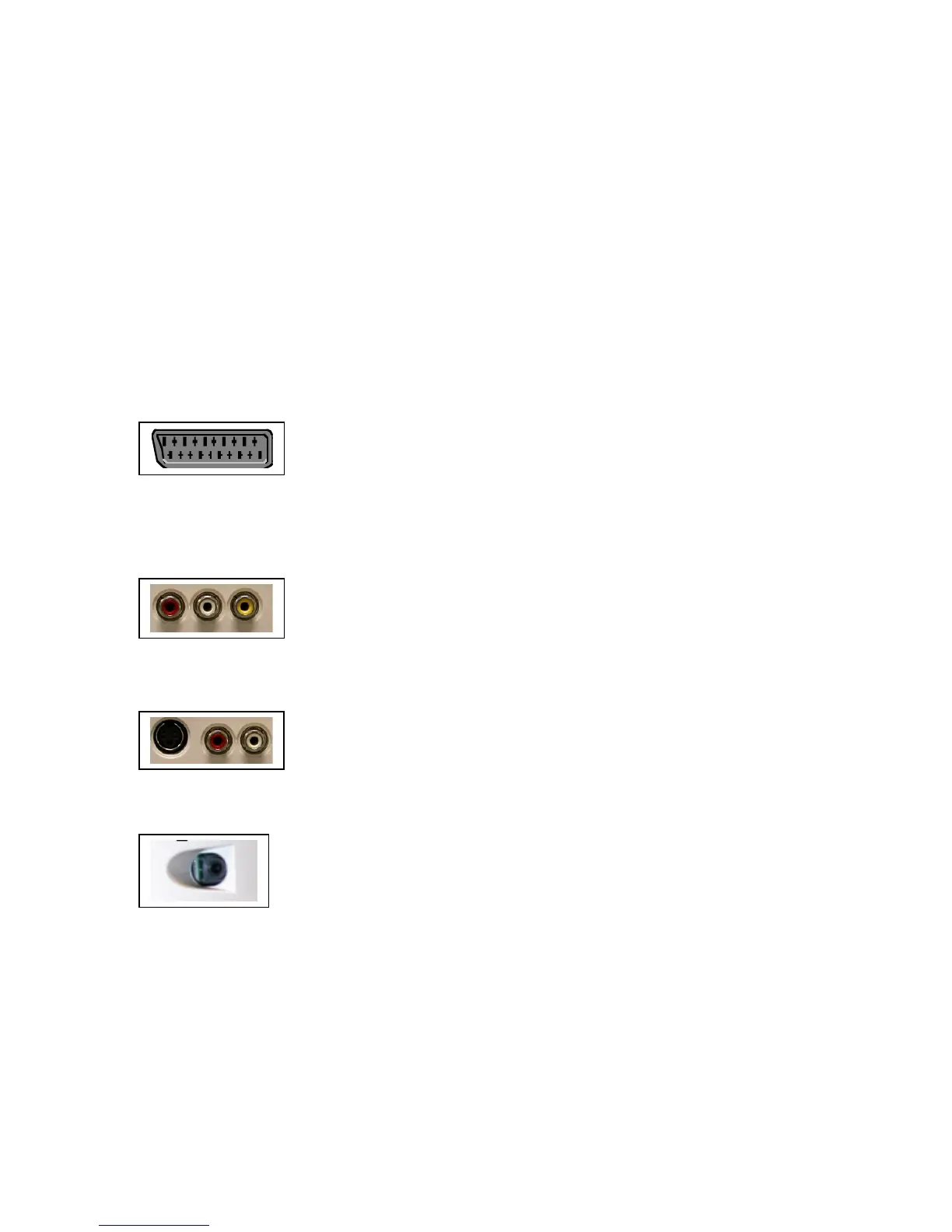
SCART socket AV1 (input-output) at the bottom of the TV set.
This socket can be used to connect a range of equipment, including video recorders,
camcorders (VHS or 8-mm), decoders, satellite receivers, DVD players, games
consoles or appliances producing an RGB signal.
To display images from the connected appliance, select AV1 using AV button on the
remote control.
For some appliances (connected to the SCART socket), this selection is made
automatically.
For appliances producing an RGB signal, select AV1 RGB.
Audio (L/R) and video (CVBS) CINCH sockets AV2 (input) at the bottom of the
LCD TV set.
These can mainly be used to connect camcorders (VHS or 8-mm format).
To display images from the connected appliance, select AV2 using AV button on the
remote control.
Audio (L/R) and S-video socket AV2 (input) at the bottom of the TV set.
These can mainly be used to connect camcorders (S-VHS or Hi 8 format).
To display images from the connected appliance, select AV2S using AV button on
the remote control
Audio stereo jack socket (output) on the left side.
These can be used to connect a stereo amplifier, a hi-fi system or amplified speakers
(see below).
Connecting active speakers or an amplifier (using a jack / CINCH cable not provided).
The audio stereo jack socket located on the left side of the LCD TV set can be used to connect active speakers
(with a built-in amplifier) or an amplifier.
Connect the left and the right speaker to the stereo jack socket using a jack / CINCH cable (not provided).
To connect an amplifier, you should connect the LCD TV set’s stereo jack socket to the amplifier’s L and R
inputs using a jack / CINCH cable (not provided).





 To Next Page