EasyManua.ls Logo

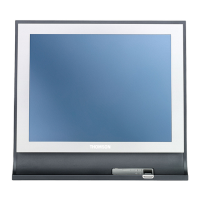
THOMSON easytv 40FD2S13W - User Manual

THOMSON easytv 40FD2S13W
41 pages
Print Icon
To Next Page IconTo Next Page
Loading...

Questions and Answers

  • J
    Joseph HernandezAug 19, 2025
    Why does my THOMSON easytv 40FD2S13W TV remote not work?
    • B
      benjaminwatsonAug 19, 2025
      First, ensure that the plastic bag that came with the remote control has been removed. If that doesn't work, try using the remote closer to the TV. Also, check if the batteries are correctly placed or try using new batteries.
  • J
    James LittleAug 21, 2025
    What to do if there is no power on my THOMSON easytv 40FD2S13W?
    • J
      Jeanette WestAug 21, 2025
      Check if the AC cord of the TV is properly plugged in. If there's still no power, disconnect the plug and reconnect it to the socket after 60 seconds. Then, turn the power back on.
  • R
    Richard WoodAug 25, 2025
    What to do if my THOMSON TV signal is not received properly?
    • P
      Patricia CarterAug 25, 2025
      If there are high buildings or mountains nearby, adjust the image through manual operation, consulting the instruction of vernier regulation, or adjust the direction of the external antenna. If you are using an indoor antenna, adjust its direction for optimum reception or consider switching to an external antenna.
  • B
    Benjamin GordonAug 26, 2025
    Why does my THOMSON TV have static noise affecting video and audio quality?
    • K
      Kelli FinleyAug 27, 2025
      Check if the antenna at the back of the Thomson TV is connected properly.
  • C
    Christina CastilloAug 28, 2025
    What to do if my THOMSON easytv 40FD2S13W has no picture?
    • P
      perrykristinaAug 28, 2025
      First, check if the antenna at the back of the TV is properly connected. Then, view other channels to see if the problem persists.
  • J
    Jordan VasquezAug 30, 2025
    What to do if my THOMSON TV video appears with no audio?
    • N
      ncalhounAug 30, 2025
      First, try increasing the volume. Also, check if the TV’s sound is on mute.
  • N
    ncampbellSep 1, 2025
    What to do if my THOMSON TV has broken lines on the screen?
    • D
      Danielle WilsonSep 1, 2025
      Electrical appliances like hair dryers or vacuums may be interfering with your TV. Try switching these appliances off.
  • A
    Andrea LopezSep 3, 2025
    What to do if my THOMSON easytv 40FD2S13W problems are unresolved?
    • S
      Sarah RobertsSep 3, 2025
      Unplug the power cable and wait for 30 seconds, then reconnect to the socket.
  • R
    Rodney StephensonSep 6, 2025
    How to fix no video in PC mode on THOMSON TV?
    • L
      lesliegillSep 6, 2025
      Check if the cable is correctly connected to the VGA port, and ensure the cable isn't bent.
  • S
    Sarah MooreSep 8, 2025
    How to clear horizontal tearing in PC mode on THOMSON TV?
    • J
      Jason GomezSep 8, 2025
      Adjust the horizontal placement of the screen to clear any horizontal lines.

Summary

Safety Information

Risk of Electric Shock

Warning about high voltages and safety precautions for servicing.

General Usage Warnings

Safety guidelines for device usage, ventilation, and handling.

Setup and Installation

Unpacking and Installation

Instructions for unpacking the TV and placing it on a stable surface for installation.

Wall Mounting Warnings

Safety precautions and instructions for mounting the TV onto a wall using a bracket.

TV Components and Connections

Connections

Overview of all input and output ports on the TV for connecting external devices.

Remote Control

Detailed explanation of each button and function on the TV's remote control.

TV Installation

Setting Up Your TV

Guidance on placing the TV correctly and connecting antenna and power.

Initial Setup Wizard

Instructions for the on-screen setup wizard to guide users through TV configuration.

DTV Tuning Setup

Guide for setting up Digital TV tuning parameters and selecting reception art.

Auto Tuning (Analog + Digital)

Process for automatically tuning both analog and digital TV channels for optimal reception.

Menu Operations

Picture Menu

Picture Mode

Adjusting picture settings like contrast, brightness, color, and sharpness for optimal viewing.

Sound Menu

Sound Mode

Selecting sound modes (Standard, Music, Movie, Sports, Personal) for different audio experiences.

Lock Menu

System Lock

Enabling and configuring system lock, password, and channel lock.

Set Password

Procedure for setting or changing the TV's system password for security.

Channel Lock

How to lock or unlock individual TV channels to restrict access.

Setup Menu Options

PVR Recording Functionality

Information on installing and using the PVR function for recording TV programs.

Troubleshooting Guide

Common TV Issues and Solutions

Solutions for common TV problems like no power, signal loss, picture/audio issues, and remote control malfunctions.

THOMSON easytv 40FD2S13W Specifications

General IconGeneral
Screen Size40 inches
Display TypeLED
Smart TVYes
HDMI Ports3
USB Ports2
Wi-FiYes
Audio Output20W
Refresh Rate60Hz
Operating SystemAndroid
Backlight TechnologyDirect LED
Resolution1920 x 1080 (Full HD)

Related product manuals