EasyManua.ls Logo

THOMSON easytv 24HD2S13 - User Manual

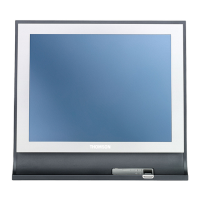
THOMSON easytv 24HD2S13
41 pages
Print Icon
To Next Page IconTo Next Page
Loading...

Questions and Answers

Summary

TV Safety Information and Precautions

Electric Shock and General Warnings

Key safety guidelines, warnings, and risk of electric shock for TV usage.

Product Markings, Compliance, and Data

Understanding product symbols, EU conformity, and data protection policies.

TV Installation and Initial Setup Guide

Unpacking, Stand, and Wall Mounting

Instructions for unpacking, stand installation, and wall mounting safety.

Initial Setup Wizard and Channel Tuning

Step-by-step setup, language/country selection, and automatic channel tuning.

TV Hardware and Remote Control

TV Physical Buttons and Ports

Locating and understanding the TV's physical control button and connection ports.

Remote Control Operation

Detailed guide to all buttons and functions on the remote control.

Channel and Picture Settings

Channel Management and Tuning

Manual tuning, program editing, schedule list, and signal information.

Picture Quality Adjustments

Configuring picture modes, contrast, brightness, color, and noise reduction.

Sound, Time, and System Settings

Sound Modes and Audio Settings

Selecting sound modes, adjusting volume, balance, and other audio options.

Time, Lock, and Language Settings

Managing time settings, parental controls, system lock, and language preferences.

Advanced Features and Media Playback

PVR, Aspect Ratio, and Software Update

Using PVR, adjusting aspect ratio, and updating TV software.

Media Player: Photos, Music, Movies

How to play media files (photos, music, videos) from a USB device.

Troubleshooting, Specifications, and Licenses

Common Troubleshooting Solutions

Guidance on resolving common TV operational issues and errors.

Technical Details and Compliance

Product specifications, country restrictions, and licensing information.

Summary

TV Safety Information and Precautions

Electric Shock and General Warnings

Key safety guidelines, warnings, and risk of electric shock for TV usage.

Product Markings, Compliance, and Data

Understanding product symbols, EU conformity, and data protection policies.

TV Installation and Initial Setup Guide

Unpacking, Stand, and Wall Mounting

Instructions for unpacking, stand installation, and wall mounting safety.

Initial Setup Wizard and Channel Tuning

Step-by-step setup, language/country selection, and automatic channel tuning.

TV Hardware and Remote Control

TV Physical Buttons and Ports

Locating and understanding the TV's physical control button and connection ports.

Remote Control Operation

Detailed guide to all buttons and functions on the remote control.

Channel and Picture Settings

Channel Management and Tuning

Manual tuning, program editing, schedule list, and signal information.

Picture Quality Adjustments

Configuring picture modes, contrast, brightness, color, and noise reduction.

Sound, Time, and System Settings

Sound Modes and Audio Settings

Selecting sound modes, adjusting volume, balance, and other audio options.

Time, Lock, and Language Settings

Managing time settings, parental controls, system lock, and language preferences.

Advanced Features and Media Playback

PVR, Aspect Ratio, and Software Update

Using PVR, adjusting aspect ratio, and updating TV software.

Media Player: Photos, Music, Movies

How to play media files (photos, music, videos) from a USB device.

Troubleshooting, Specifications, and Licenses

Common Troubleshooting Solutions

Guidance on resolving common TV operational issues and errors.

Technical Details and Compliance

Product specifications, country restrictions, and licensing information.

THOMSON easytv 24HD2S13 Specifications

General IconGeneral
Screen Size24 inches
Display diagonal61 cm
Resolution1366 x 768 pixels
HD TypeHD
Display TechnologyLED
Screen ShapeFlat
Aspect Ratio16:9
Display Brightness200 cd/m²
Contrast Ratio (typical)3000:1
Viewing Angle, Horizontal178°
Viewing Angle, Vertical178°
Comb Filter3D
Refresh Rate60 Hz
Digital Signal Format SystemDVB-C, DVB-S2, DVB-T2
Smart TVNo
Number of Speakers2
HDMI Ports Quantity2
USB 2.0 Ports Quantity1
Headphone Outputs1
Headphone JackYes
Common Interface (CI)Yes
Common Interface Plus (CI+)Yes
Electronic Programme Guide (EPG)Yes
VESA MountingYes
VESA Mounting Interfaces100 x 100 mm
Product ColourBlack
VGA PortYes
Standby Power Consumption0.5 W

Related product manuals