To Next Page
E
Edward SpearsSep 9, 2025
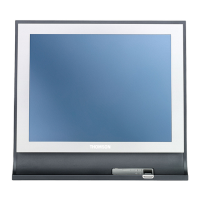
How to adjust screen brightness in PC mode on THOMSON easytv 24HD2S13 TV?
- NNicholas WoodSep 9, 2025
Adjust the brightness or contrast in the main menu.

How to adjust screen brightness in PC mode on THOMSON easytv 24HD2S13 TV?
Adjust the brightness or contrast in the main menu.
What to do if lines appear when a device is connected to the RCA port of my THOMSON easytv 24HD2S13?
Make sure you are using a cable of good quality.
What to do if my THOMSON easytv 24HD2S13 TV has no response from the PC?
Check if the PC’s display resolution is set to a compatible resolution for the TV.
How to eliminate vertical line blinking in PC mode on THOMSON easytv 24HD2S13 TV?
Enter the main menu and adjust the vertical placement to eliminate the vertical line.
Key safety guidelines, warnings, and risk of electric shock for TV usage.
Understanding product symbols, EU conformity, and data protection policies.
Instructions for unpacking, stand installation, and wall mounting safety.
Step-by-step setup, language/country selection, and automatic channel tuning.
Locating and understanding the TV's physical control button and connection ports.
Detailed guide to all buttons and functions on the remote control.
Manual tuning, program editing, schedule list, and signal information.
Configuring picture modes, contrast, brightness, color, and noise reduction.
Selecting sound modes, adjusting volume, balance, and other audio options.
Managing time settings, parental controls, system lock, and language preferences.
Using PVR, adjusting aspect ratio, and updating TV software.
How to play media files (photos, music, videos) from a USB device.
Guidance on resolving common TV operational issues and errors.
Product specifications, country restrictions, and licensing information.
 General
| Screen Size | 24 inches |
|---|---|
| Display diagonal | 61 cm |
| Resolution | 1366 x 768 pixels |
| HD Type | HD |
| Display Technology | LED |
| Screen Shape | Flat |
| Aspect Ratio | 16:9 |
| Display Brightness | 200 cd/m² |
| Contrast Ratio (typical) | 3000:1 |
| Viewing Angle, Horizontal | 178° |
| Viewing Angle, Vertical | 178° |
| Comb Filter | 3D |
| Refresh Rate | 60 Hz |
| Digital Signal Format System | DVB-C, DVB-S2, DVB-T2 |
| Smart TV | No |
| Number of Speakers | 2 |
| HDMI Ports Quantity | 2 |
| USB 2.0 Ports Quantity | 1 |
| Headphone Outputs | 1 |
| Headphone Jack | Yes |
| Common Interface (CI) | Yes |
| Common Interface Plus (CI+) | Yes |
| Electronic Programme Guide (EPG) | Yes |
| VESA Mounting | Yes |
| VESA Mounting Interfaces | 100 x 100 mm |
| Product Colour | Black |
| VGA Port | Yes |
| Standby Power Consumption | 0.5 W |