4 SpeedTouch™ for Mac OS
3EC 36714 BAAA TCZZA Ed. 02
25
Installation results After you have correctly followed the SpeedTouch™ installation procedure, the
following applications and icons are added to your system:
• SpeedTouch USB added in modem list:
In the list of available modems, the Alcatel SpeedTouch USB is added
• SpeedTouch USB status and Diagnostics icon:
An SpeedTouch™ status icon is added to the control strip, allowing instant status
information of the SpeedTouch™.
Additional configuration Next to the installation of the SpeedTouch™ software, the SpeedTouch™ must be
configured as default modem for the remote access application.
Proceed as follows:
Step Action
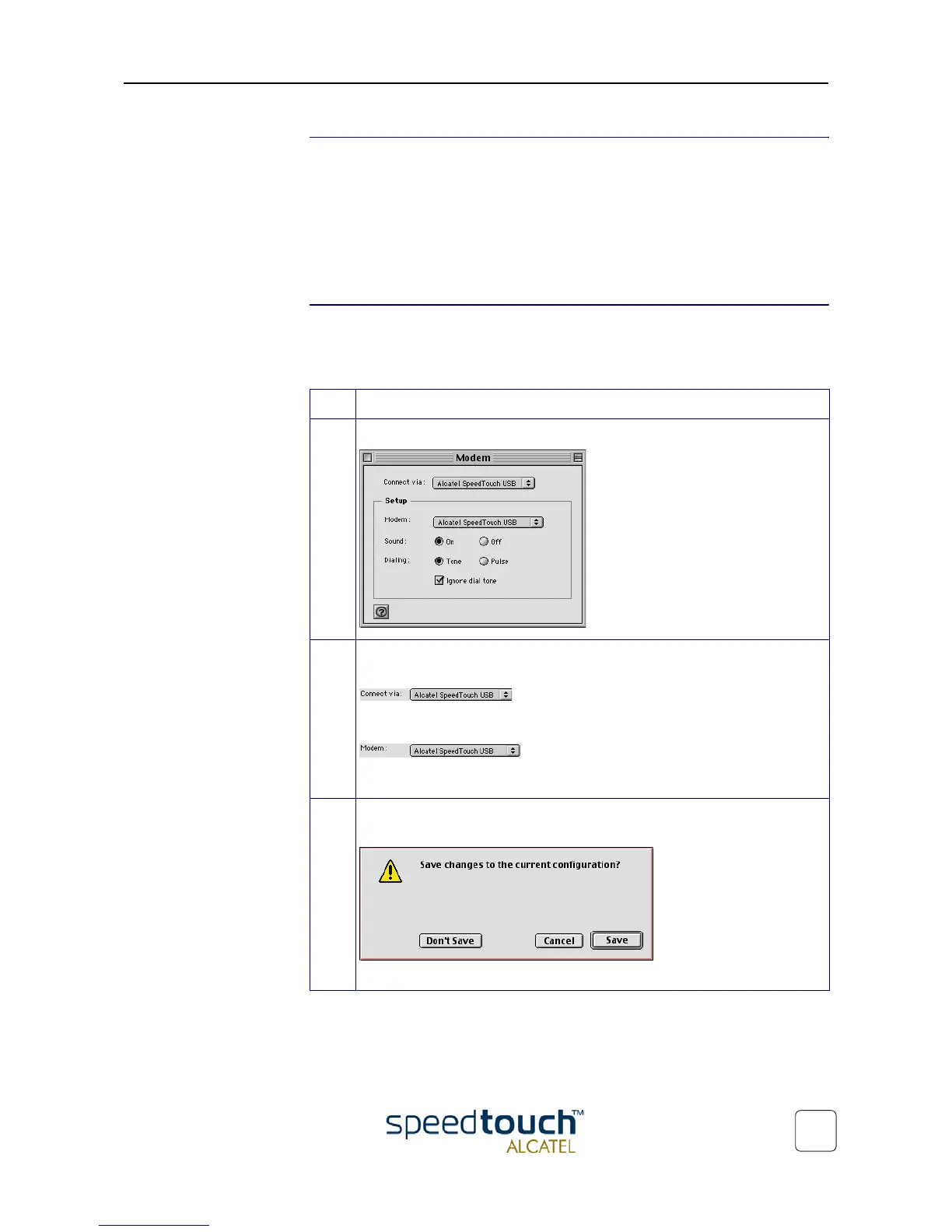
1 Open the Modem control panel:
2 Check for the following:In the 'Connect via' field, Alcatel SpeedTouch USB
must be selected:
In the 'Modem' field, Alcatel SpeedTouch USB must be selected:
In case other selections are made, make the appropriate adaptions:
3 Close the Modem control panel.
A dialog box appears asking whether you want to save the changes you made:
Click Save to save your changes to the configuration.



 To Next Page