3EC 36714 BAAA TCZZA Ed. 02
4 SpeedTouch™ for Mac OS
32
4.2.1. Using the SpeedTouch™ in Mac OS8.6 and
Mac OS9.x
SpeedTouch™ status
icon
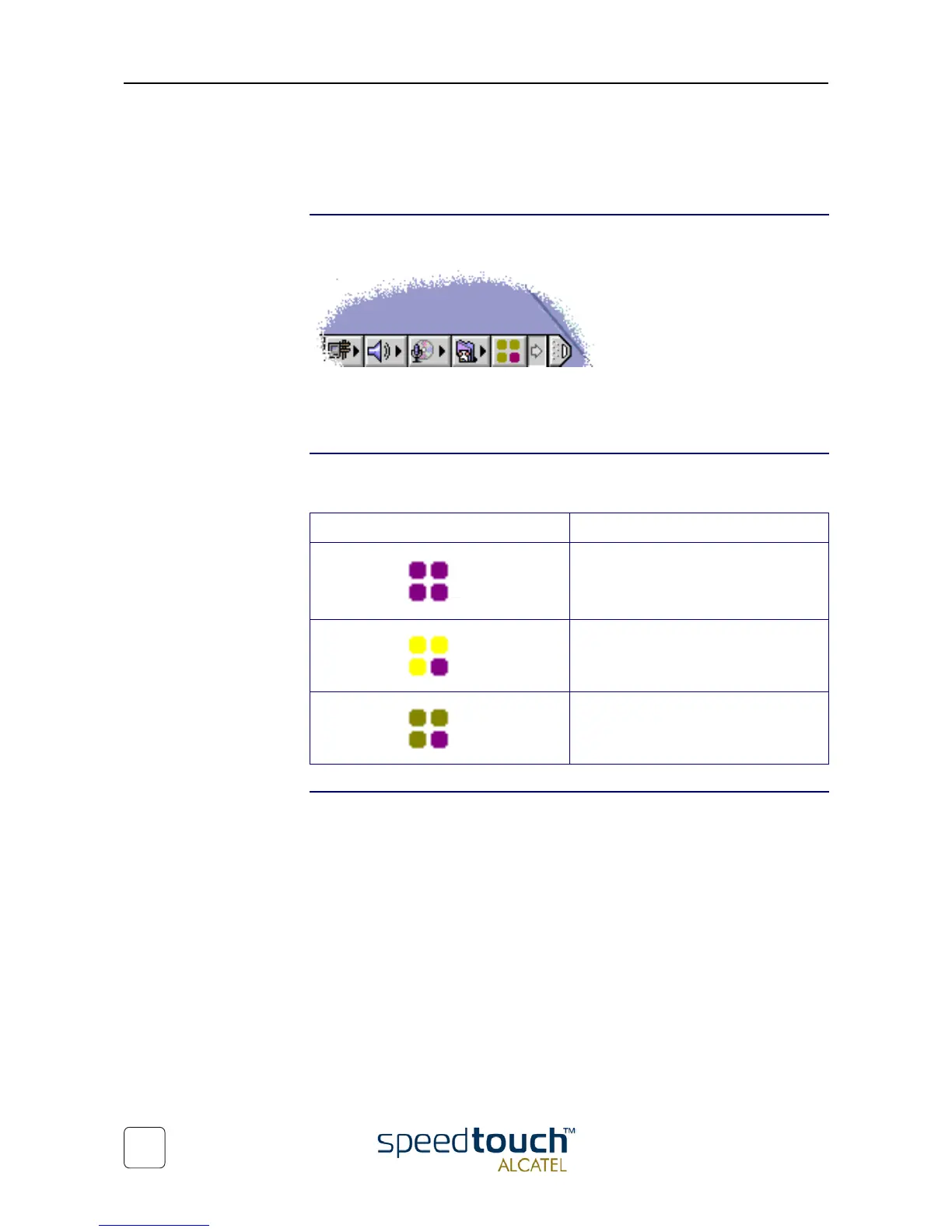
As soon your SpeedTouch™ is installed, an SpeedTouch™ status icon is shown at your
desktop's control strip:
Note: In case the control strip is not visible, you must activate it via the Apple menu >
Control Panels > Control Strip. In case the SpeedTouch™ status icon is not visible, you
can drag the control strip to enlarge it.
SpeedTouch™ status
icon colors
The SpeedTouch™ status icon is colored, depending the state of the SpeedTouch™
device:
SpeedTouch™
Diagnostics
The SpeedTouch™ driver software features a Diagnostics application. This application
allows you to overview some detailed parameters and settings of your SpeedTouch™
and the current connection.
a shortcut to the application can be found in the 'Application' folder on your system
startup disk.
Refer to the SpeedTouch™ Diagnostics Guide for more information. The latest version
of the Diagnostics Guide can always be downloaded from the Alcatel Support web
pages.
SpeedTouch™ status icon color Description
The SpeedTouch™ is not plugged into
the computer's USB port. An ADSL
connection can not be established.
The SpeedTouch™ is plugged in, but has
not (yet) accomplished synchronization
over the ADSL line.
The SpeedTouch™ is connected, and
synchronized.



 To Next Page