3EC 36714 BAAA TCZZA Ed. 02
4 SpeedTouch™ for Mac OS
36
How to make a
connection
Proceed as follows:
How to release a
connection
Proceed as follows:
Step Action
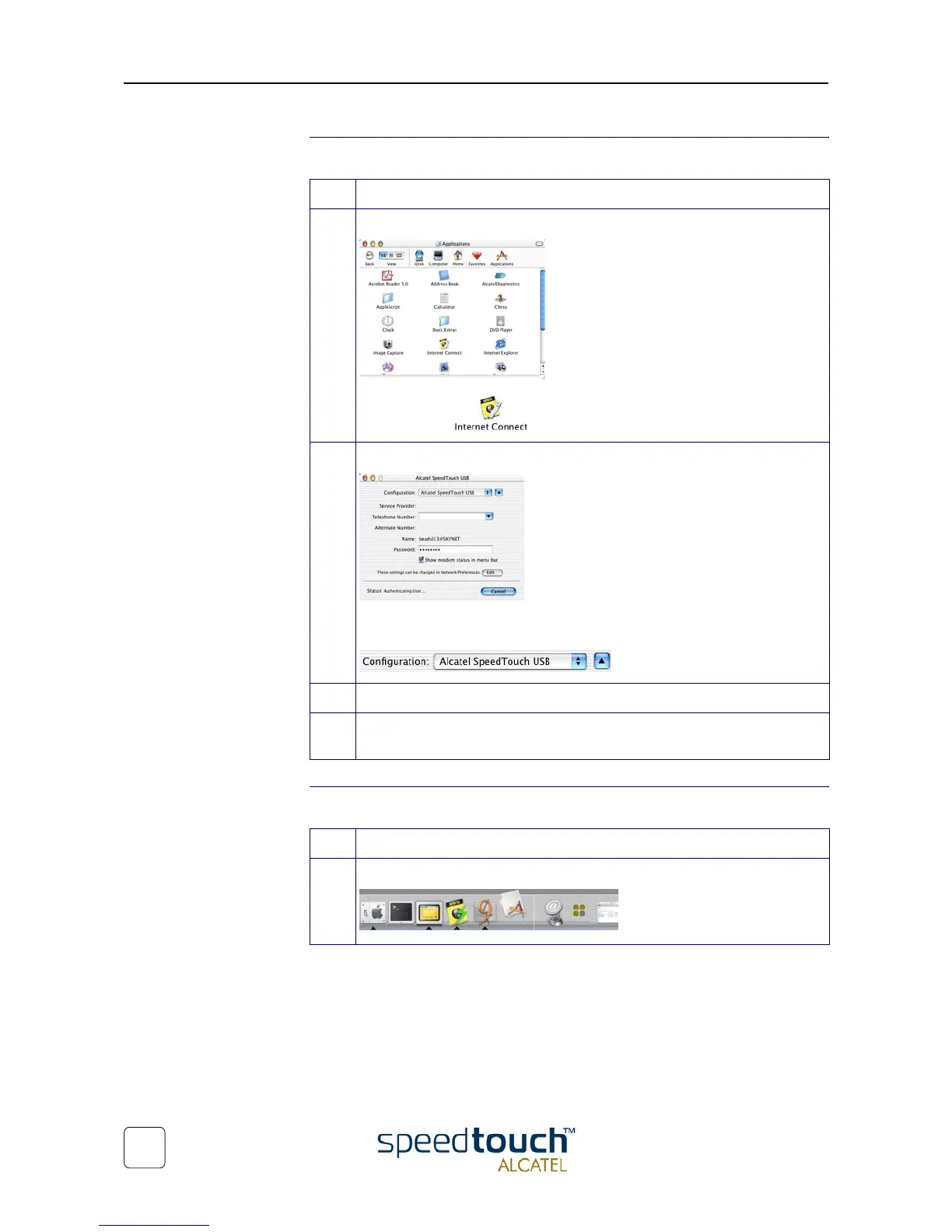
1 Open the 'Applications' folder on your Mac OS10.x system startup disk:
Double-click to open the Internet connect application.
2 The following screen appears:
If needed select the SpeedTouch™ from the list of available network devices in
the 'Configuration' field:
3 Click Connect.
4 As soon the connection is made you can open your web browser and surf the
Internet.
Step Action
1 Double-click the Internet connect icon from the Dock:



 To Next Page