Factory Alignment Specification of normal SIACP
Page 13 of 19
IR board will flash after upgrade begin. The LED off if upgrade succeed.The LED stop
flashing and keep on if upgrade fail,check the set and try again.
If the set display normally, follow the indication instead of Step4.
Appendix r “Modify panel ID with Hyper terminal”
①. Connect the PC to the board using a special serial device (USB or COMx).
②. Provide a correct voltage to the board
③. Save the password file “password for hyperTerminal.txt” to your computer.
D:\MT62\调试说明
已发布\password f
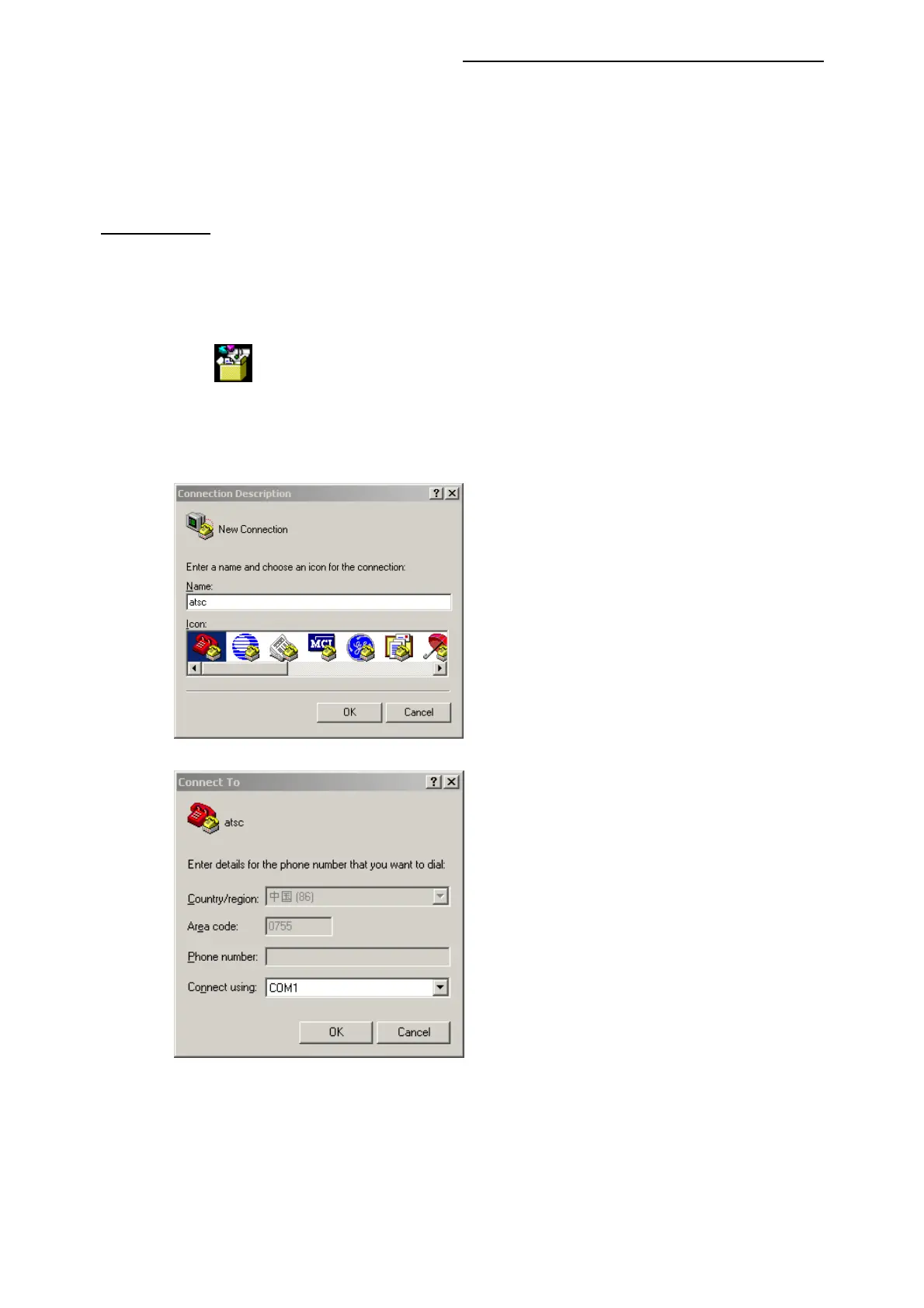
④. Start HyperTerminal “HyperTrm.exe” in your computer.
⑤. Fill the name.
⑥. Select the Com Port you are using.
⑦. Set the items as below picture.




 To Next Page