Factory Alignment Specification of normal SIACP
Page 18 of 19
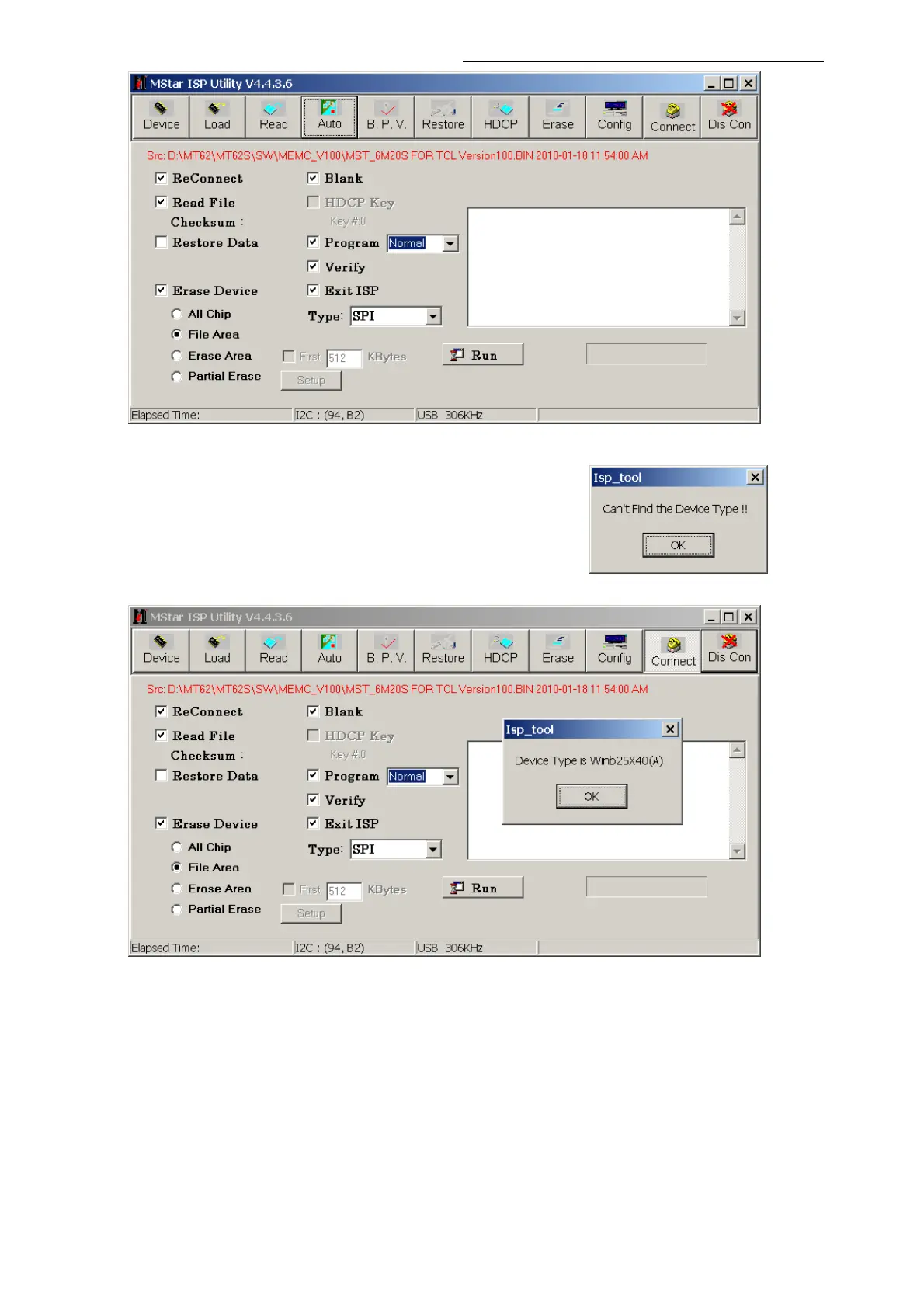
7. Press “Conect” button on the Menu. A message will popup
to tell you the result. Press “OK” button to close the
message. If fail to connect with “Can’t find the Device
Type!! ” Message ,Check the hardware and parameters
setting of the ISP_Tool , Press “Dis Con” button , then
“Conect” button again, until it identify the flash memory IC.
8. Press “Run” button in the current page to download the software.”Pass” will display on the
right bottom corner if succeed.




 To Next Page