Getting Started
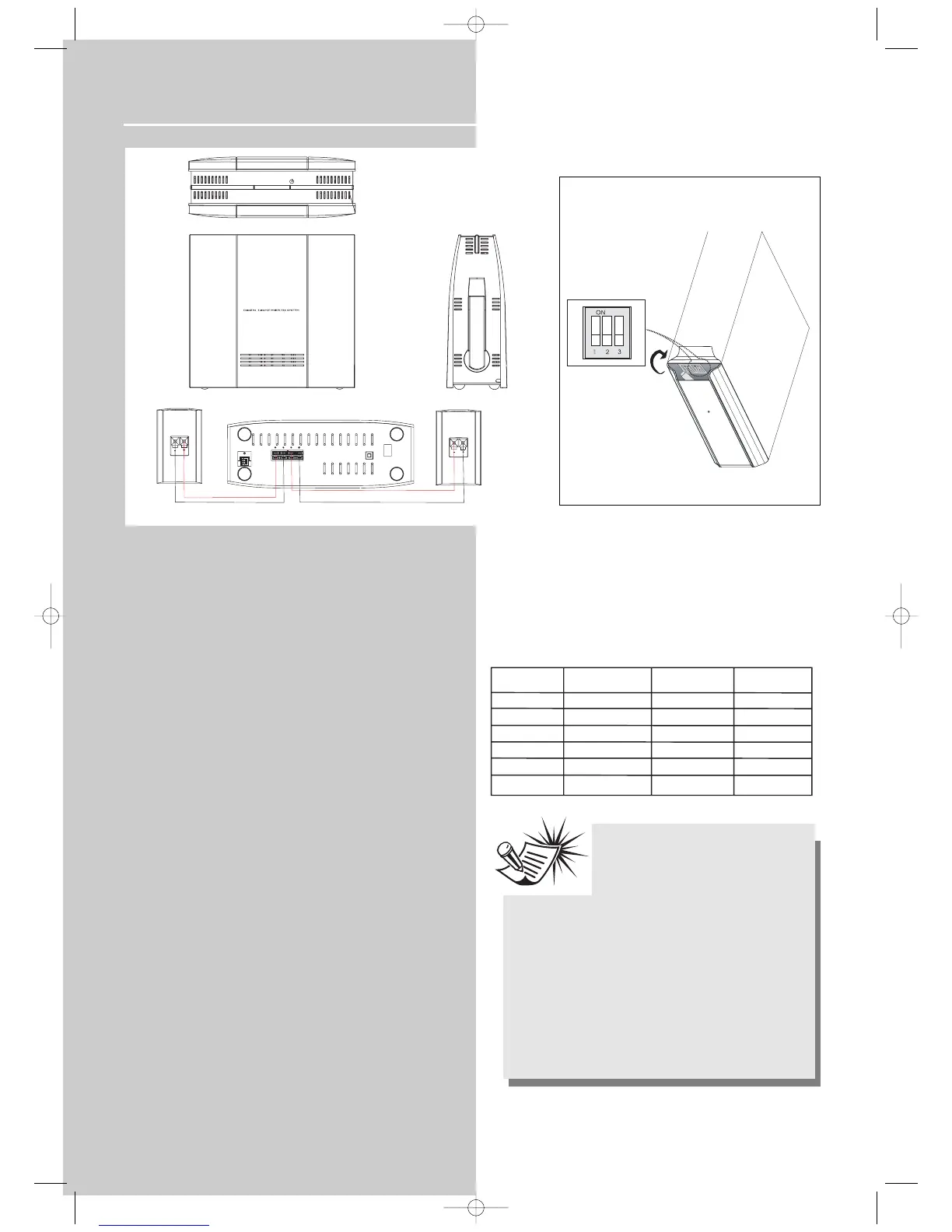
Wireless speaker connection
Wireless signal transmitter
The subwoofer comes with the unit is, at the same time,
the wireless signal transmitter. It converts the audio signal
from the unit into 5.8GHz radio frequency and transmit it
to the receiver. Connect the telephone (RJ45) connector at
the back of the subwoofer to the back of the main unit,
whenever the main unit is on, the subwoofer will transmit
audio signal to the rear speakers through the wireless sig-
nal receiver.
Wireless signal receiver
The wireless signal receiver will pick up the best audio sig-
nal from either one of its antennas and convert the signal
back to its original form, and pass it to the rear speakers.
Connecting procedures
1. Connect the subwoofer (transmitter) to the main unit
using the telephone (RJ45) connector and speaker wires.
2. Connect the rear speakers to the wireless receiver and
plug the AC power cord into the power outlet.
3. Make sure the transmitter is in STANDBY mode before
pressing the POWER button to turn the receiver on.
4. The LED on the receiver will flash when searching for a
signal, they will turn green after the signal has been found.
5. Adjust the antenna on both the transmitter and receiver
to get the best signal reception.
Changing the channel frequency
To minimize interference from other 5.8 GHz systems (Cell
phone, wireless LAN), you may select a different transmis-
sion channel if you should experience interference. The
channel selector is located on the front panel of the sub-
woofer (transmitter). You may change the transmission
channel according to the table below:
6
Note:
1. You need to restart the main unit when-
ever a different transmission signal is
selected.
2. People walking between the transmitter
and receiver may cause interference.
3. The maximum transmission range is 10 meters, walls and
obstacle blocking between may affect the efficient trans-
mission range.
4. It is advised that you should place the receiver as high
as possible.
5. The reception will be weaker if you face the back or but-
tom side of the receiver to the transmitter.
6. Try turning the receiver when the reception is weak.



 To Next Page