48 - EN
User’s Manual - Hero - 10.1’’
mythomson.com
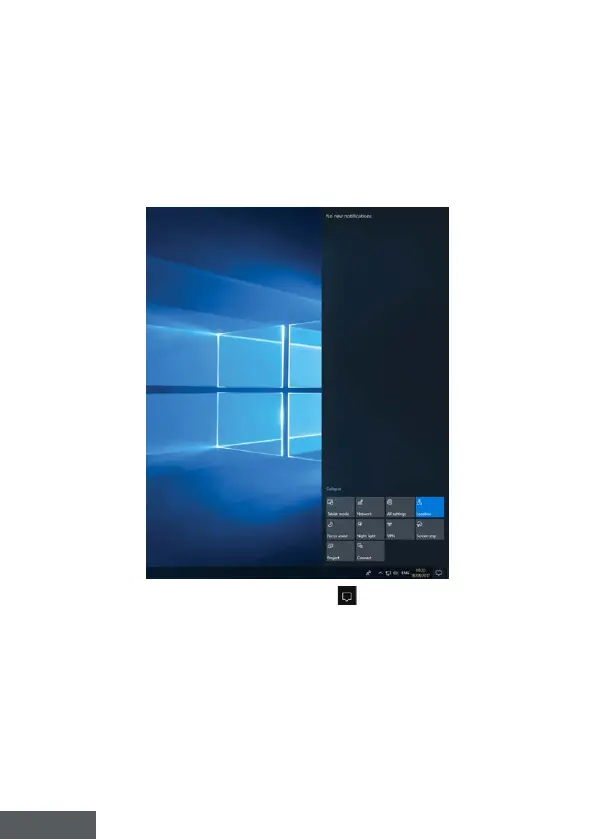
Presentation of the Action Centre
Note : The interface may vary by country, model or version of Windows® 10
The action center groups all notications from your applications. The lower
part provides the main shortcuts useful for setting up your device.
To open the action center, click on the icon
in the notication area.



 To Next Page