13
HOME CINEMA 5.1
HTS300
USAGE
Turn On/Off
• Press the ON/OFF switch at the rear side of the subwoofer to turn the device on or
off.
• The message STANDBY will appear on the screen.
• Press the key q on the remote control to exit standby mode.
• Volume level (30) appears on the screen.
Source input selection
• Press INPUT on the subwoofer or the remote control to select the functions.
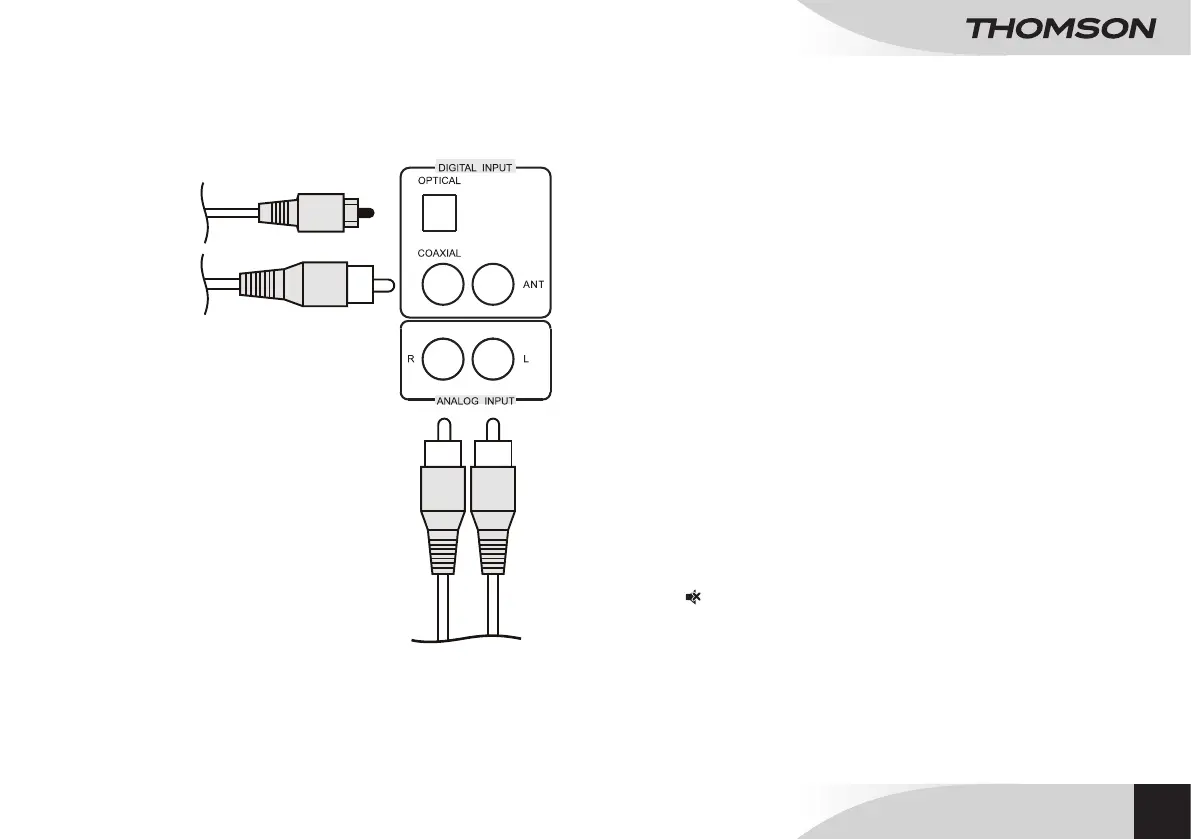
• AUX: analogue input.
• OPT: optical input.
• COA: coaxial input.
• FM: FM radio .
• USB/SD: USB/SD input.
Volume setting
• Press VOL+/- on the subwoofer or the remote control to adjust the volume.
• Maximum sound level is 60.
Sound setting
These keys adjust the volume settings of the different speakers. These settings can
only be adjusted from the remote control.
• Press FRONT +/- to adjust the front speakers volume.
• Press CENTER +/- to adjust the center speakers volume.
• Press REAR +/- to adjust the rear speakers volume.
• Press WOOFER +/- to adjust the subwoofer volume.
Sound resetting
• Press RESET to reset sound settings to their original parameters.
Sound off mode
• Press to turn the sound on or off.
USB/SD track playback
• Connect a USB drive or a SD card to its slot on the front side.
• Audio track playback starts automatically.
• Press 12 to pause/resume playback.
USE
CONNECTING AN OPTIONAL APPLIANCE
EN
DVD
BLU-RAY
TV
TV
SMARTPHONE
MP3 PLAYER


 To Next Page