EN
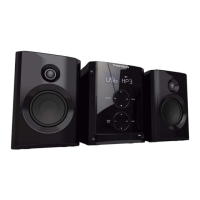
Controls and Indicators
Main Unit
ON/ECO — keep pressing briefly to enter ECO
(power saving, without clock display) mode.
Tip: In STANDBY mode (press ON/ECO off), the
system displays the time. Press ON/ECO to turn the
system on in the previously used mode. Press
SOURCE to select the corresponding mode. Look at
the display icons to identify the current mode.
GAME •AUX - Jack for auxiliary connection.
PHONES —Jack for connecting headphones.
SOURCE — Selects CD player/ tuner/ tape player/
external source.
DIMMER / DEMO —Turns the feature demonstra-
tion on or off; adjusts display contrast.
TIMER — Enters timer setting mode; turns timer
on/off.
CLOCK/RDS — Shows clock time and enters clock
setting mode; shows RDS information in Tuner Mode
(FM).
UP - mp3 Playback - selects previous mp3 title.
DOWN - mp3 Playback - selects next mp3 title.
BACK - Goes up one folder from current folder.
ENTER - enters current folder and show the first
title from current folder.
MODE (For mp3 discs with SmartTrax) -
selects between SmartTrax mode and normal
mp3 mode.
PLAYLIST (For mp3 discs with SmartTrax) -
access Playlist folders.
CD INFO - In mp3 mode - Toggles ID3 TAG.
In CD mode - Selects the choice of displaying
Track elapsed time, track remaining time, CD
elapse time or CD remaining time.
In Tuner mode - toggles between FM stereo
and mono sound.
MY SELECTION (For mp3 discs with
SmartTrax) - access My Selection folder in
mp3 mode if the SmartTrax feature is avail-
able.
ADD / DEL (For mp3 discs with SmartTrax) -
Adds and deletes titles to/from My
Selection.
DIGITAL TUNING (SKIP BACKWARD) —
Decrements radio frequency, preset down,
goes to the previous CD track or setting
option; rewind tape or preset down.
DIGITAL TUNING (SKIP FORWARD) —
Increments radio frequency, preset up, goes to the
next CD track or setting option; fast forward tape or
preset up.
PLAY / PAUSE — Plays or pauses CD and tape
operation.
TUNE•PRESET — Stops CD track and tape opera-
tions, Sets tune or preset mode.
PROG•SET - Enters program mode for CD and Tuner;
Applies new settings for Clock and Timer modes.
In Tape mode - resets tape counter.
BAND /AUTO PROG./DECK 1•2 — Changes among
tuner bands; enters auto-preset program in FM
mode; switches between deck 1 and 2 on cassette
player.
PRESET EQ —selects among the different EQ
modes.
RECORD -
Starts tape recording.
X-SURR. — Turns X-Surround on or off .
B. BOOST—Turns bass boost on or off.
OPEN/CLOSE — Opens or closes the disc tray.
DISC SKIP — Skips to the next CD in the tray.
VOLUME — Increases/ decreases volume.



 To Next Page