5
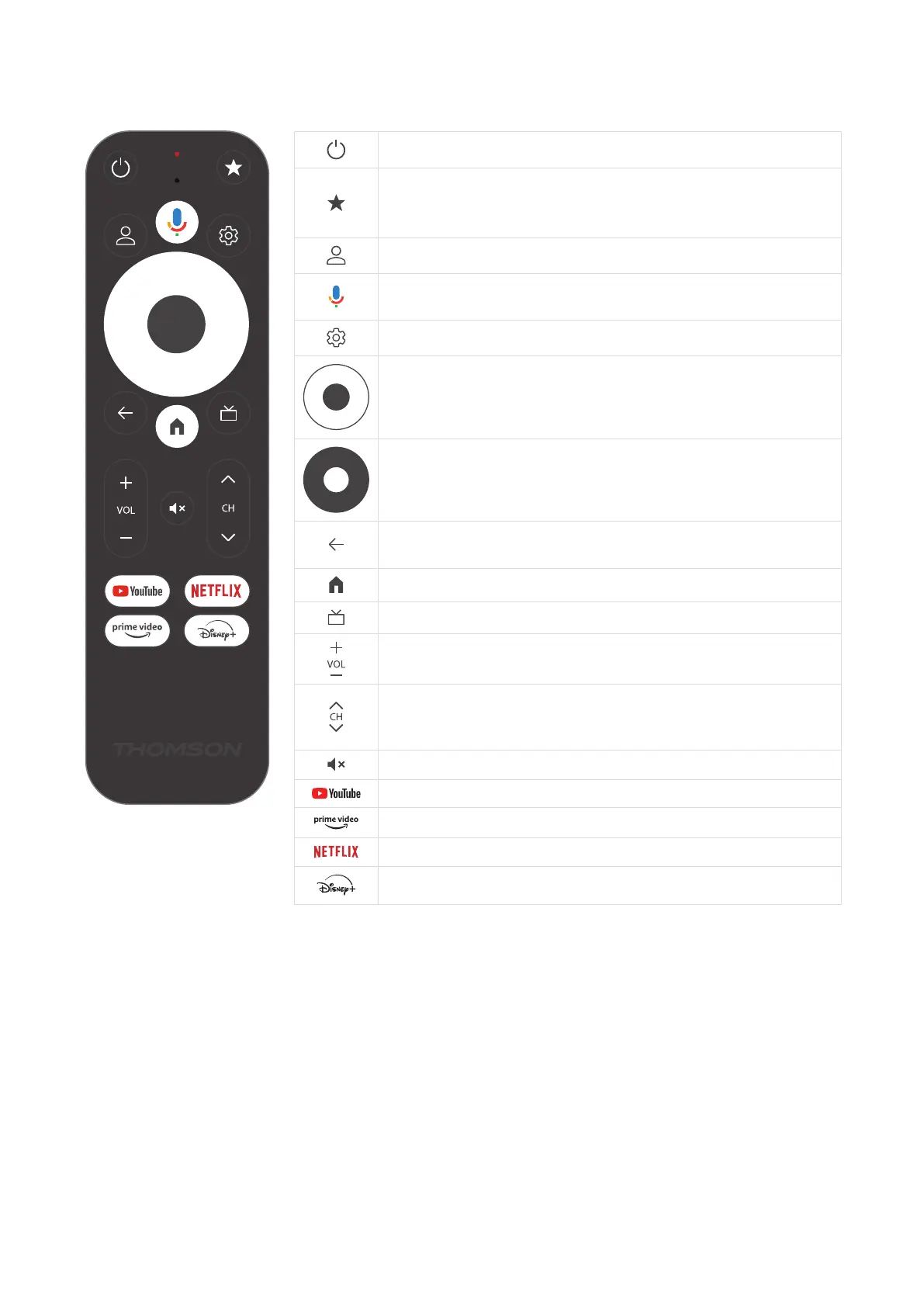
3.3. Remote Control
Standby: Quick Standby / Standby / On
Press and hold this button to determine the shortcut function of
this button. Briey press the Star button to launch the selected
favorite app or to select the input source.
Prole Switch: Switches user proles
Microphone: Activates the Google Assistant and the microphone
built into the remote control
Settings: Opens the Settings Menu
OK: Conrms selections
Directional Button (D-Pad): Navigates menu, setting options, moves
the focus or cursor etc.
Back/Return: Returns to previous menu screen, goes one step back
etc.
Home: Opens the Home Screen
Common application
Volume +/-: Controls the Sound Volume of the TV
Program +/-: Zapping the single TV/radio channels. Scrolls the
channel list page by page when the channel list is displayed on the
TV screen
Mute: Completely turns o the volume of the TV
YouTube: Launches the YouTube application
Prime Video: Launches the Prime Video application
Netix: Launches the Netix application
Disney+: Launches the Disney + application



 To Next Page