EN
EN
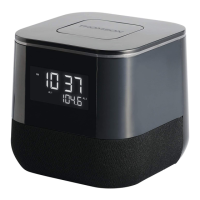
Display
NAP - Nap is activated.
WAKE 1 - Wake 1 to tone.
WAKE 1 - Wake 1 to radio.
WAKE 2 - Wake 2 to tone.
WAKE 2 - Wake 2 to radio.
F
M
8
8
9
2
9
6
1
0
0
1
0
4
1
0
8
M
H
z
A
M
5
5
7
5
9
0
1
2
0
1
4
0
k
H
z
x
1
0
W
A
K
E
1
W
A
K
E
2
NAP
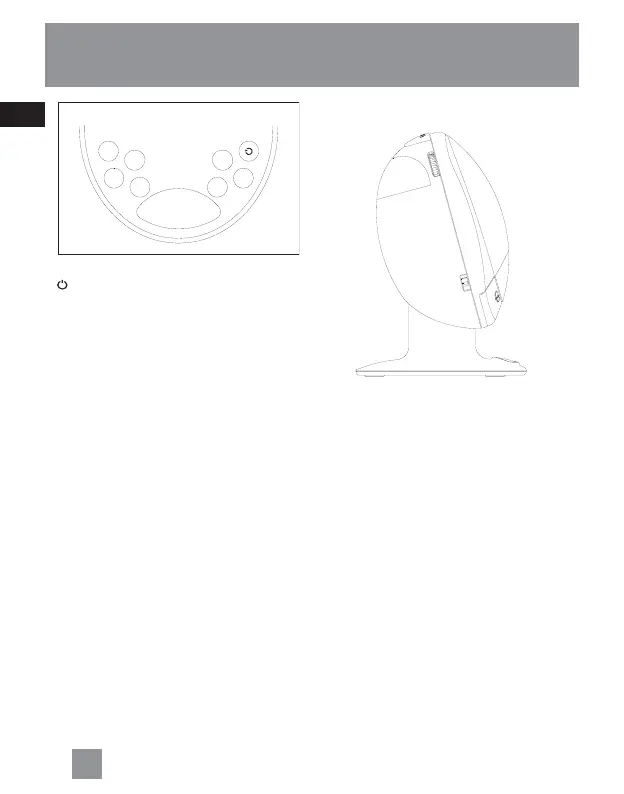
Right View
VOLUME + / - - Adjusts volume level.
TIME SET: LOCK/WAKE 1/WAKE 2/
CLOCK - Selects clock setting mode,
wake setting mode and lock mode.
Top View
LIGHT - Turns night light on and off.
General Controls
5
4
General Controls
Left View
TUNING - Tunes radio frequency.
AM/FM - Selects between FM and AM
radio band.
- Turns radio on and off.
SLEEP - Activates sleep function.
FWD - Increases clock time in clock,
wake, snooze, sleep and nap setting
mode.
REV - Decreases clock time in clock,
wake, snooze, sleep and nap setting
mode.
WAKE 1 - Activates Wake 1 settings
and changes wake 1 mode.
WAKE 2 - Activates Wake 2 settings
and changes wake 2 mode.
NAP - Activates nap function.
DIMMER - Adjusts display brightness.
SNOOZE - Enters snooze mode where
the alarm will quiet but will sound
again once the snooze period is over.
W
A
K
E
1
D
I
M
M
E
R
N
A
P
W
A
K
E
2
S
L
E
E
P
F
W
D
R
E
V
SNOOZE
T
U
N
I
N
G
A
M
•
F
M
V
O
L
U
M
E
W
AKE
1
•
W
AKE
2
L
OCK
•
TI M E
SE
T
•
CLOCK



 To Next Page