3 SpeedTouch™ for Microsoft Windows
3EC 36716 BAAA TCZZA Ed. 01
11
Previous STUSB
installations
In case the STUSB was already installed on your system, the SpeedTouch Setup wizard
(application) allows also an upgrade, removal or repair of the existing STUSB installa-
tion.
The SpeedTouch Setup
wizard (application)
installation
Step Action
1 Insert the STUSB Installation CD-rom in your PC's CD-rom drive.
The SpeedTouch Setup wizard (application) will start automatically.
Note: In case the SpeedTouch Setup wizard (application) does not start auto-
matically, open a 'Run' window via Start > Run from the Start menu and enter
following path: D:\Setup.exe, where D stands for the drive letter of your
CD-rom drive.
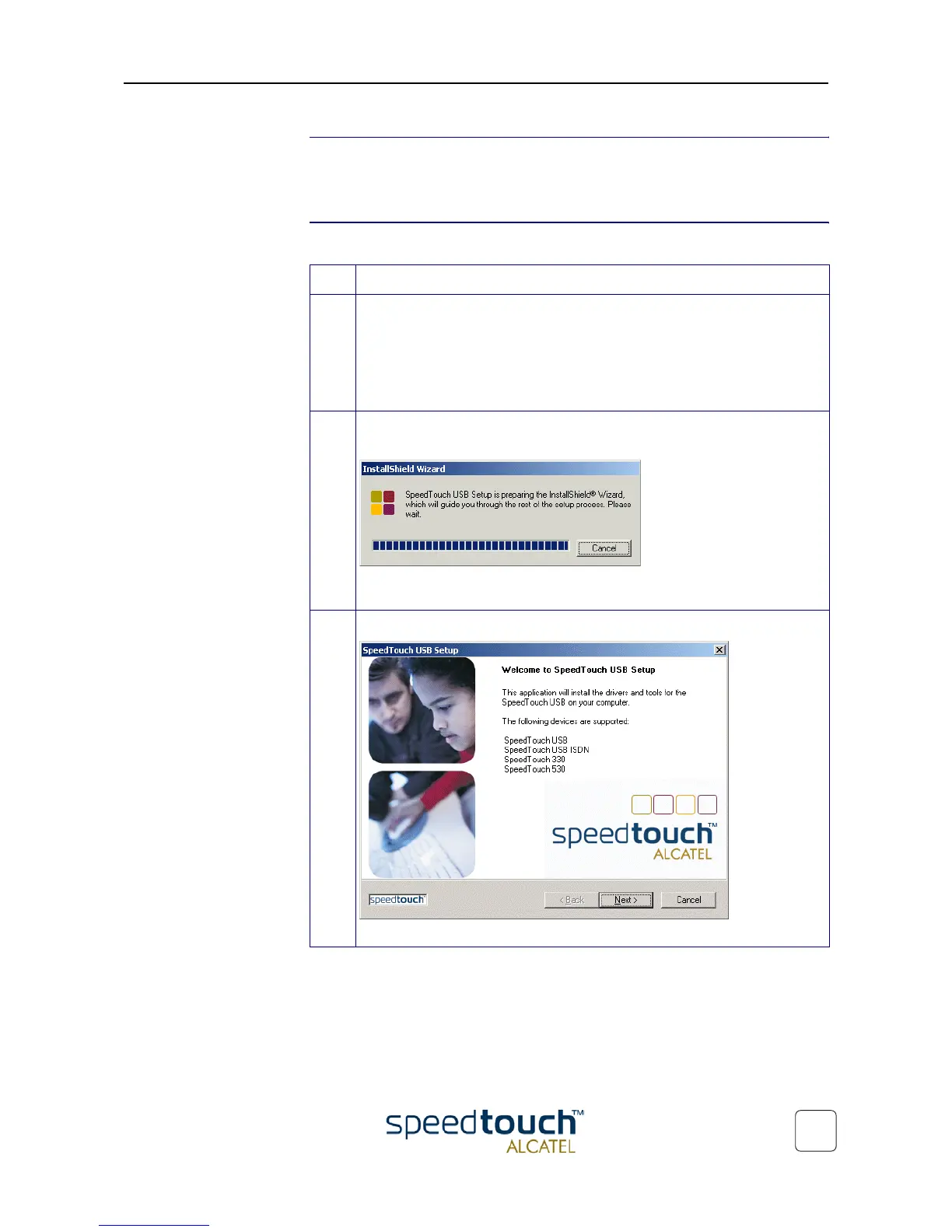
2 The STUSB Setup program prepares the SpeedTouch Setup wizard (applica-
tion):
As soon as the preparation is finished, the SpeedTouch Setup wizard (applica-
tion) will start automatically.
3 The 'Welcome to SpeedTouch™ setup' window pops up:
Click Next to proceed.



 To Next Page