5 Troubleshooting
3EC 36716 BAAA TCZZA Ed. 01
27
5 Troubleshooting
Solving problems This appendix provides information on how to identify and correct some common
problems you may encounter when using the STUSB.
In most cases the described solutions will solve the problem.
However, if the problem keeps persistent, reinstallation of your STUSB might solve the
problem.
If reinstallation has not resolved the problem, contact the company from which you
purchased the STUSB for assistance.
STUSB LEDs Your STUSB is equipped with two Bi-colored LEDs . These indicators indicate the status
of the STUSB. Checking the STUSB status may be a first step in isolating the problem.
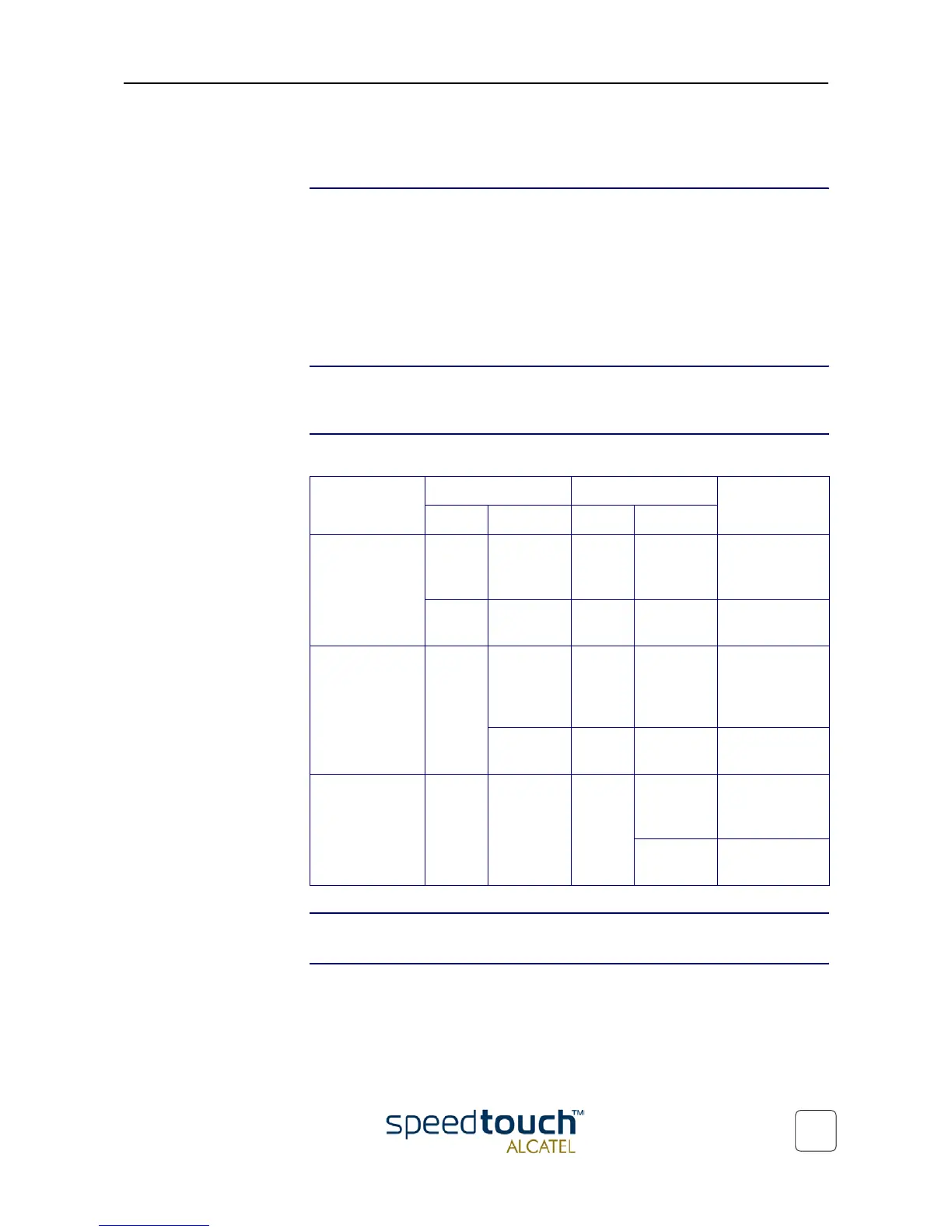
Start-up phases At startup, the STUSB passes three phases:
Failed POST When a Power on Self Test (POST) failed, both LEDs are solid amber.
Normal operation
during a session
In this state the USB LED is assigned to the downstream (R
X
) data channel (towards the
USB connection).
The ADSL LED is assigned to the upstream (T
X
) data channel (towards the ADSL
channel).
Phase USB LED ADSL LED Description
Color Timing Color Timing
Attaching and
Configuring
Red Flashing,
very short
time
Off — The STUSB is
attached.
Green Solid,
2 seconds
Green Solid,
2 seconds
Ready to
continue.
Downloading Green Flashing,
1 to 10
seconds
Off — Downloading
driver soft-
ware from
computer.
Solid Amber Solid Download
successful.
Connecting to
ADSL
Green Solid Green Flashing Pending ADSL
line synchroni-
zation
Solid Ready for
connectivity



 To Next Page