3-5
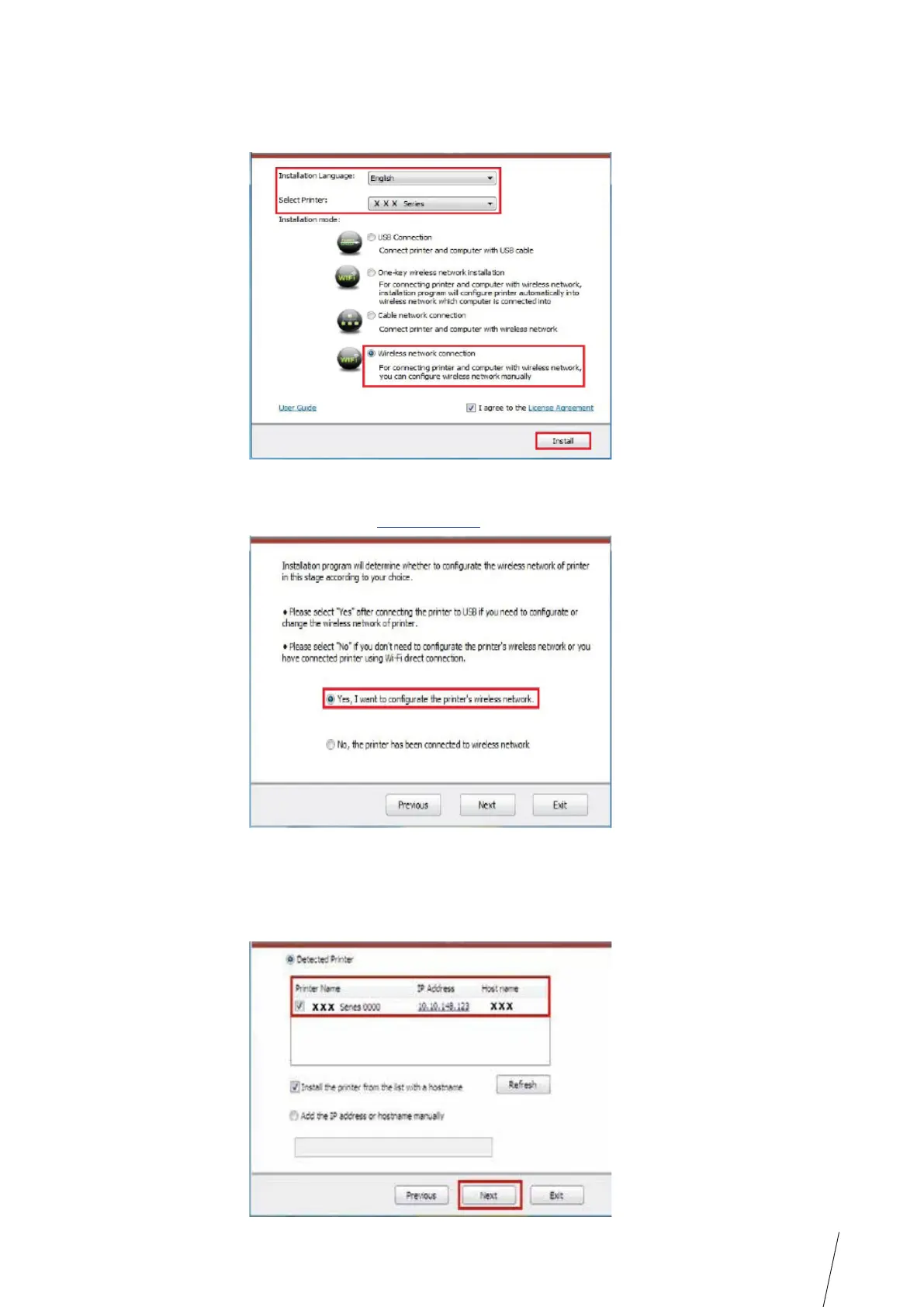
4. Read and agree to the licensing agreement, select installation language and printer model,
select “Wireless network connection” and then click “Install”.
5. Select “Yes, I want to configurate the printer’s wireless network” on the wireless setup
window popped out, and operate according to the prompts to set up the printer
to wireless network (please refer to Chapter 5.1.1 for setup method).
6. After wireless network setup succeeds, the installation program will search for printer
automatically, and it may take a while.
7. Select the printer needs to be connected and click “Next”.



 To Next Page