6-3
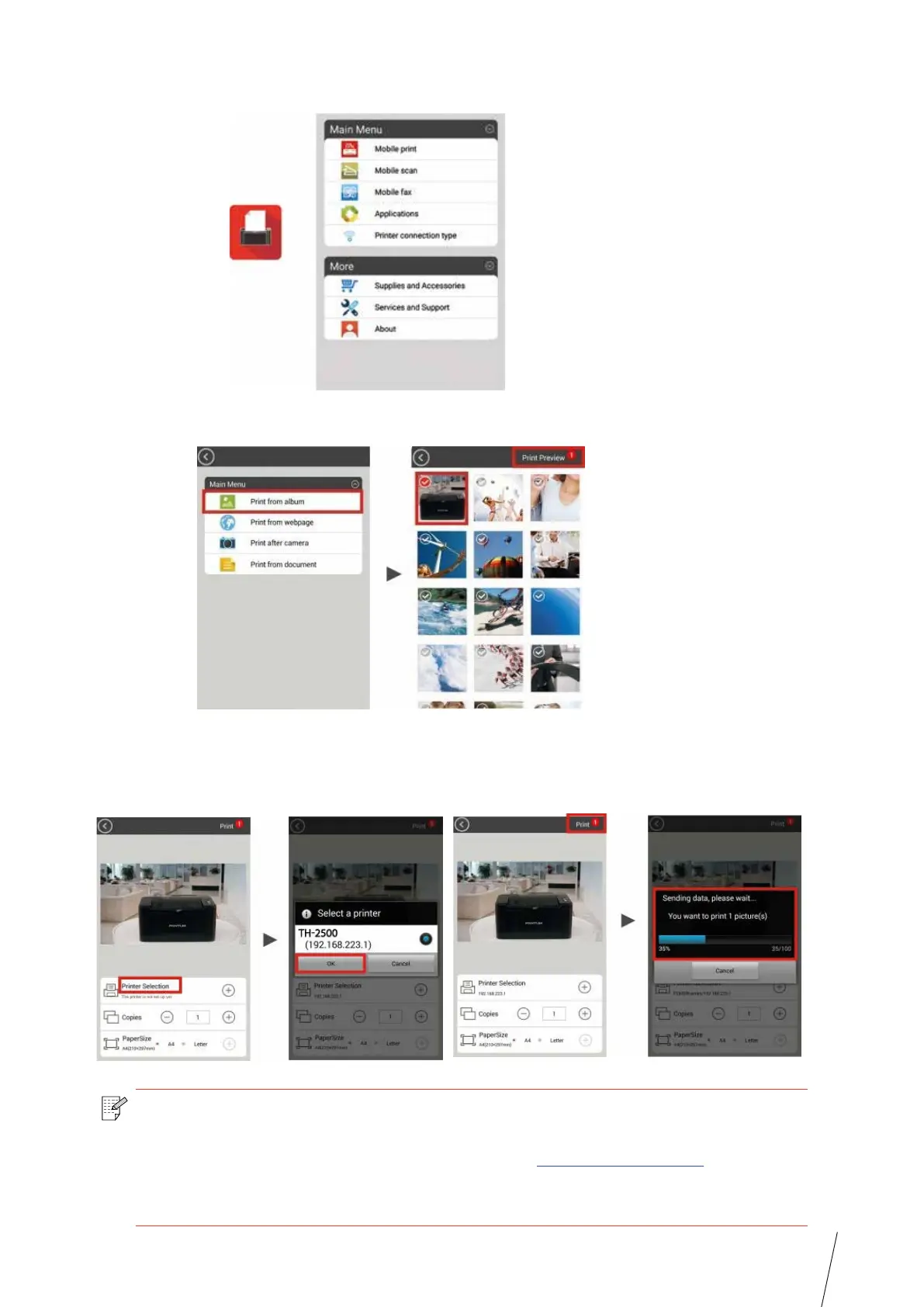
3. Now you are ready to print, open the App and go to the home page.
4. Choose from any of the menu options to print. Select the file, click “ Print Preview” .
5. Select the Printer, number of copies and the paper size and click “ Print” and you are
done.
Note: • Mobile printing App installation (you have several options: QR code, Google Play
Store, Thomson website).
• Scan the QR code on the printer or browse www.mythomson.com
or download
the Mobile Printing App directly from Google Play Store and install it to the mobile
device.



 To Next Page