9-6
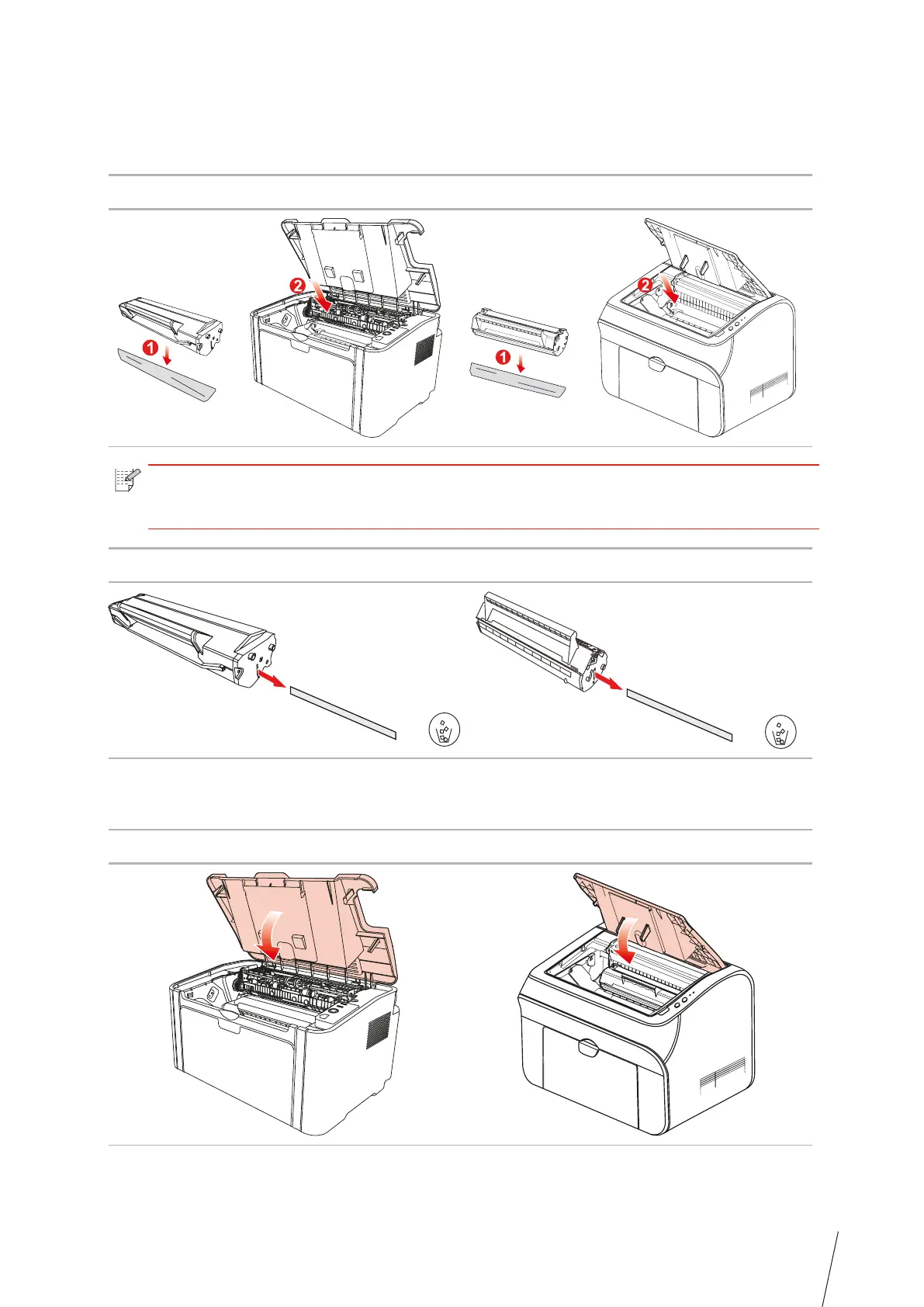
3. Remove the protective cover
, and put the laser toner cartridge into the printer along the
guides
4. Close the upper cover tightly
Note: • Check whether there is any seal on it before installing the laser toner cartridge
into the printer; if there is any, please tear off the seal and then install the cartridge.
TH-2600
TH-2500
TH-2600
TH-2500
TH-2600
TH-2500



 To Next Page