10-9
Trouble Cause Solution
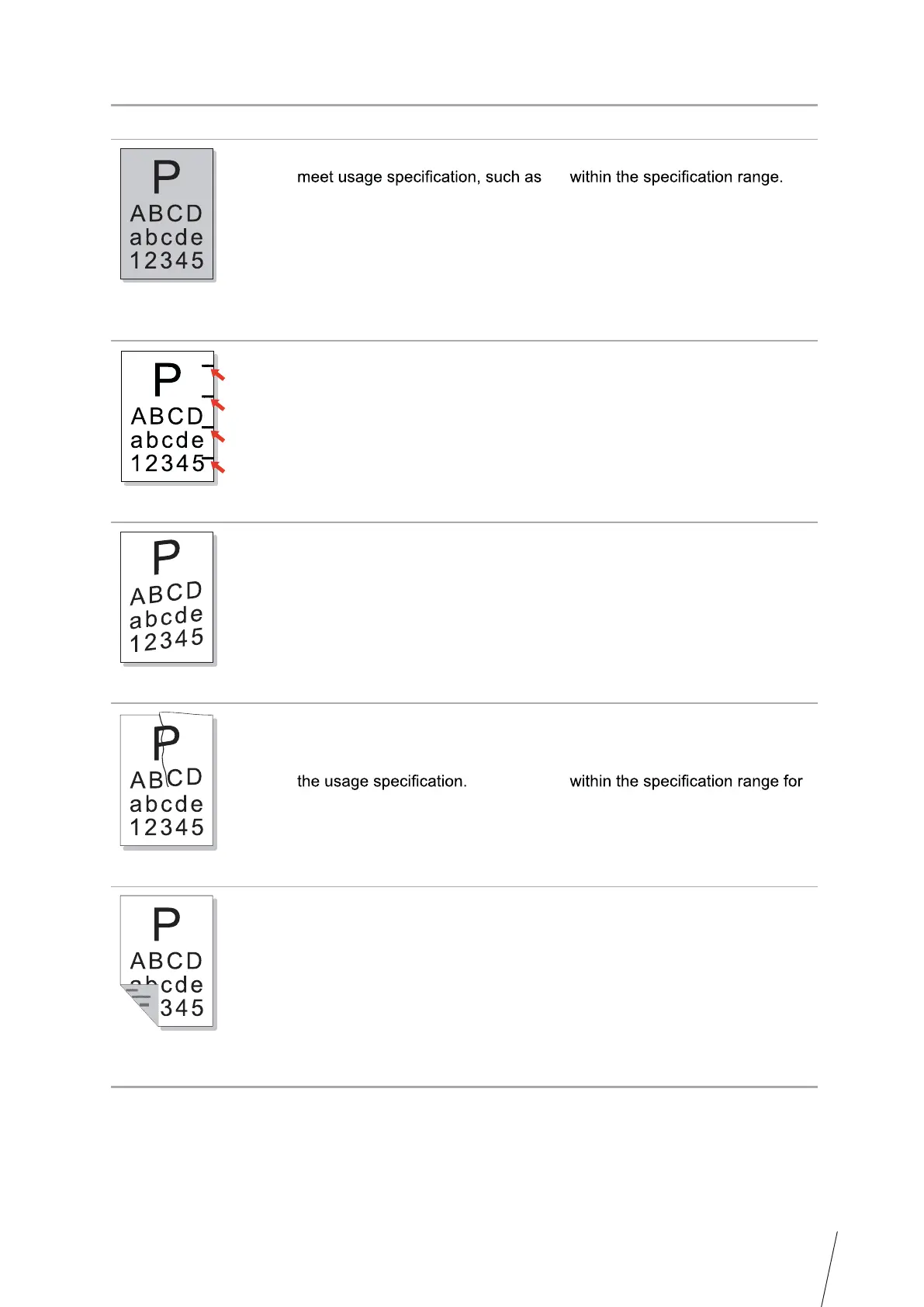
Black background
(gray background)
• The print media that does not
the media is damp or too rough.
• The laser toner cartridge is dirty.
• The internal part of the laser toner
cartridge is damaged.
• The feed channel is dirty.
• The transfer voltage inside the
printer is abnormal.
• Please use the print media
• Clean the feed channel inside
the printer.
Cyclical traces appear
• The laser toner cartridge is dirty.
• The internal part of the laser toner
cartridge is damaged.
• The fuser component is damaged.
• Clean the laser toner cartridge
or replace it with a new one.
• Please contact Thomson
Customer Service to repair and
replace the fuser component.
Skewed pages
• The print media is loaded
incorrectly.
• The feed channel of the printer is
dirty.
• Ensure correct loading of the
print media.
• Clean the feed channel inside
the printer.
Wrinkled paper
• The print media is loaded
incorrectly.
• The print media does not meet
• The feed channel inside the
printer is dirty.
• The fuser component of the
printer is damaged.
• Ensure correct loading of the
print media.
• Please use the print media
printing.
• Clean the feed channel inside
the printer.
The back of the
printout is dirty
• The laser toner cartridge is dirty.
• The transfer roller inside the
printer is dirty.
• The transfer voltage inside the
printer is abnormal.
• Clean the laser toner cartridge
or replace it with a new one.
• Clean the internal transfer
components of the printer.



 To Next Page