15
ADDITIONAL FUNCTIONS
Delay End Function
You can use this function to set the washing programme to finish at a later time. The delay end time can
be chosen between 1 and 24 hours in 1-hour increments.
1. Select a programme.
2. Repeatedly press to select the desired end time.
The hours displayed indicates the time the washing programme will finish.
The display will show the symbol .
3. Press
to start the programme.
The machine will then countdown.
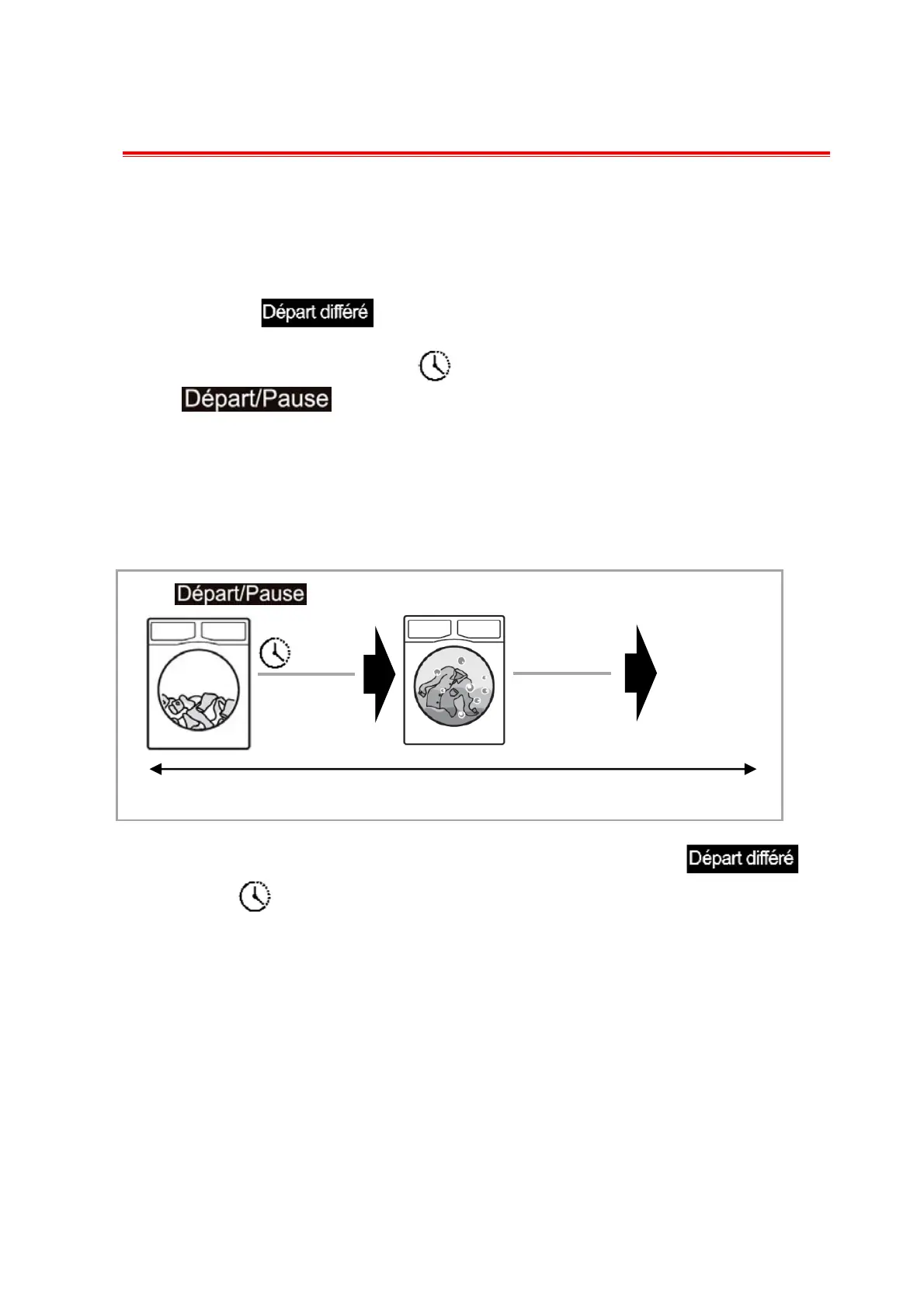
For example, if the programme duration is longer than 2 hours, the minimum delay end function
must start from 3 hours.
If the programme duration of your selected programme is 2:28 hours and you set the “Delay End” time
to 6 hours, this means your washing programme will finish in 6 hours.
If you want to cancel this function before starting the programme, repeatedly press
until the symbol disappears from the display. Or you can select another programme by turning the
programme dial.
Press .
2:28
Countdown
Programme starts.
Programme
cycle
3:32
End of cycle
“Delay End” Time : 6 hours


 To Next Page