16
S
ound Func
tion
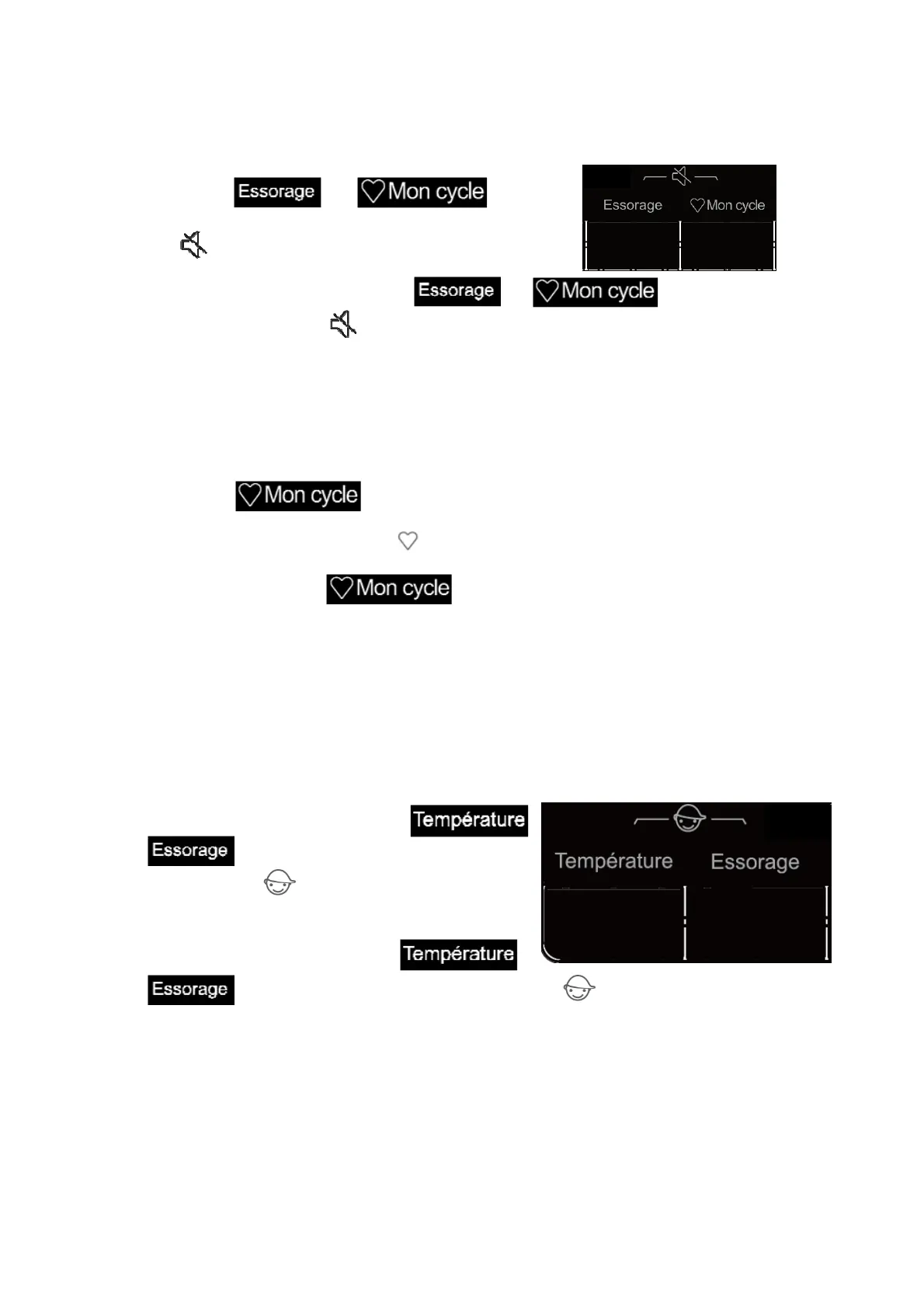
You can use this function to turn on or off the sound made when pressing the buttons or turning the
programme selector.
Press and hold and
at the same time for about 2 seconds until the display
shows ,indicating the sound function is activated.
To deactivate this function, press and hold and at the same time for
about 2 seconds. The symbol will disappear from the display.
Fa
vorite Wash Function
Favorite programme allows you to store a customized wash cycle for future use.
1. Select a programme.
2. Select the temperature, spin speed and other settings.
3. Press and hold for about 3 seconds.
The Favorite programme is now stored for future use.
The display will show the symbol .
To reuse the programme, press .
If you turn the programme selector or press other buttons, the function will be cancelled and the symbol
will disappear from the display.
Child Lock Function
To strengthen the safety of children, this machine is equipped with Child Lock Function.
When the programme starts, press and hold
and at the same time for 2 seconds. The display
will show the symbol , indicating that the function is
activated.
To deactivate this function, press and hold
and at the same time for 2 seconds again. The symbol will disappear from the display.
When the functio
n is activated, all function buttons will be locked.
When you turn the machine off by rotating the programme selector to the OFF position, the child lock
function is deactivated.
After the programme ends, the child lock will automatically unlock.


 To Next Page