Outline of Web Manager
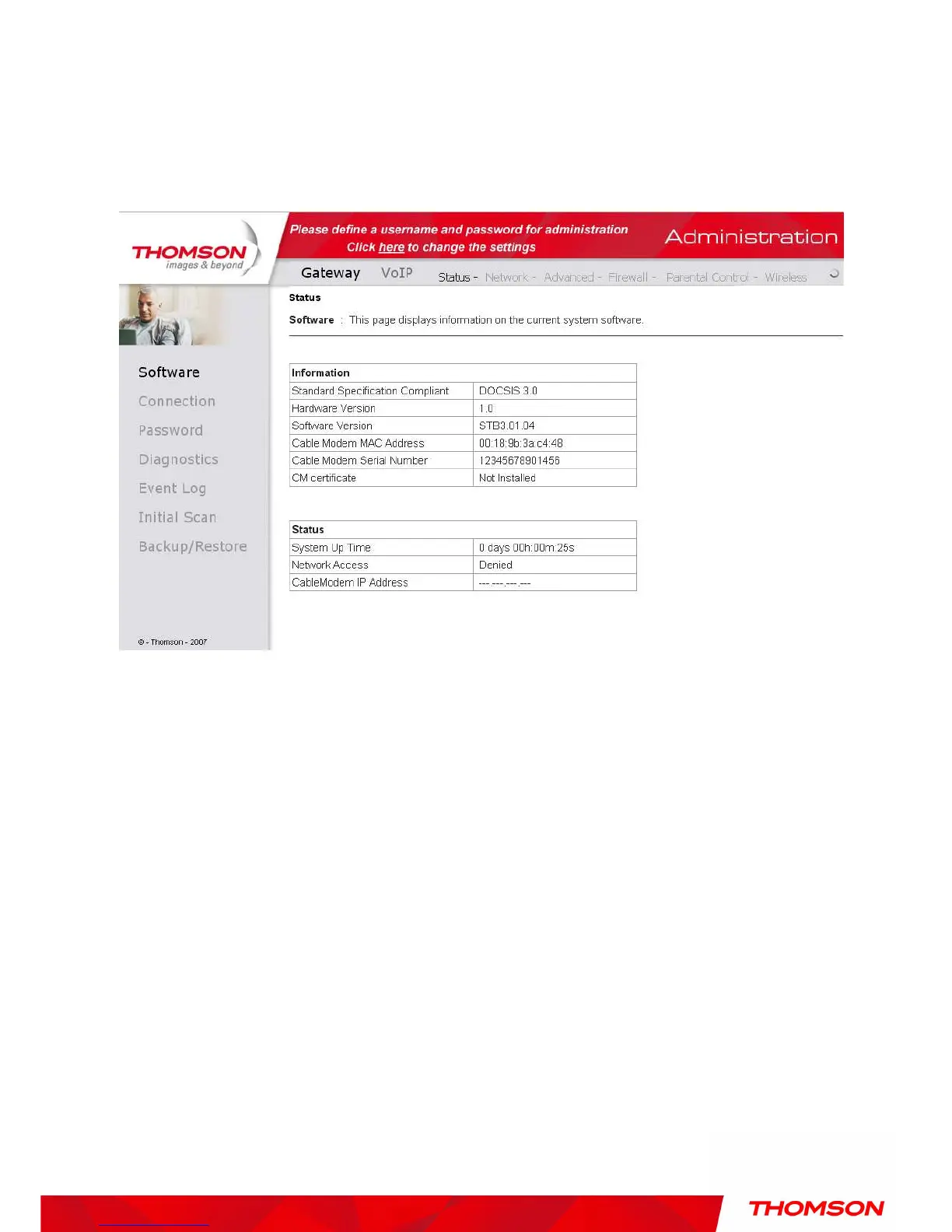
The main screen will be shown as below.
Fig. 7 Outline of Web Manager
Main Menu: the hyperlinks on the top of the page, including Gateway, VoIP and several
sub-menu items
Title: the sidebar on the left side of the page indicates the title of this management interface, e.g.,
Software in this example
Main Window: the current workspace of the web management, containing configuration or
status information
For easy navigation, the pages are organized in groups with group in names main menu. Individual
page names within each group are provided in the sidebar. So to navigate to a page, click the group
hyperlink at the top, then the page title on the sidebar.
Your cable company may not support the reporting of some items of information listed on your
gateway’s internal web pages. In such cases, the information field appears blank. This is normal.


 To Next Page