4. Diagnostics
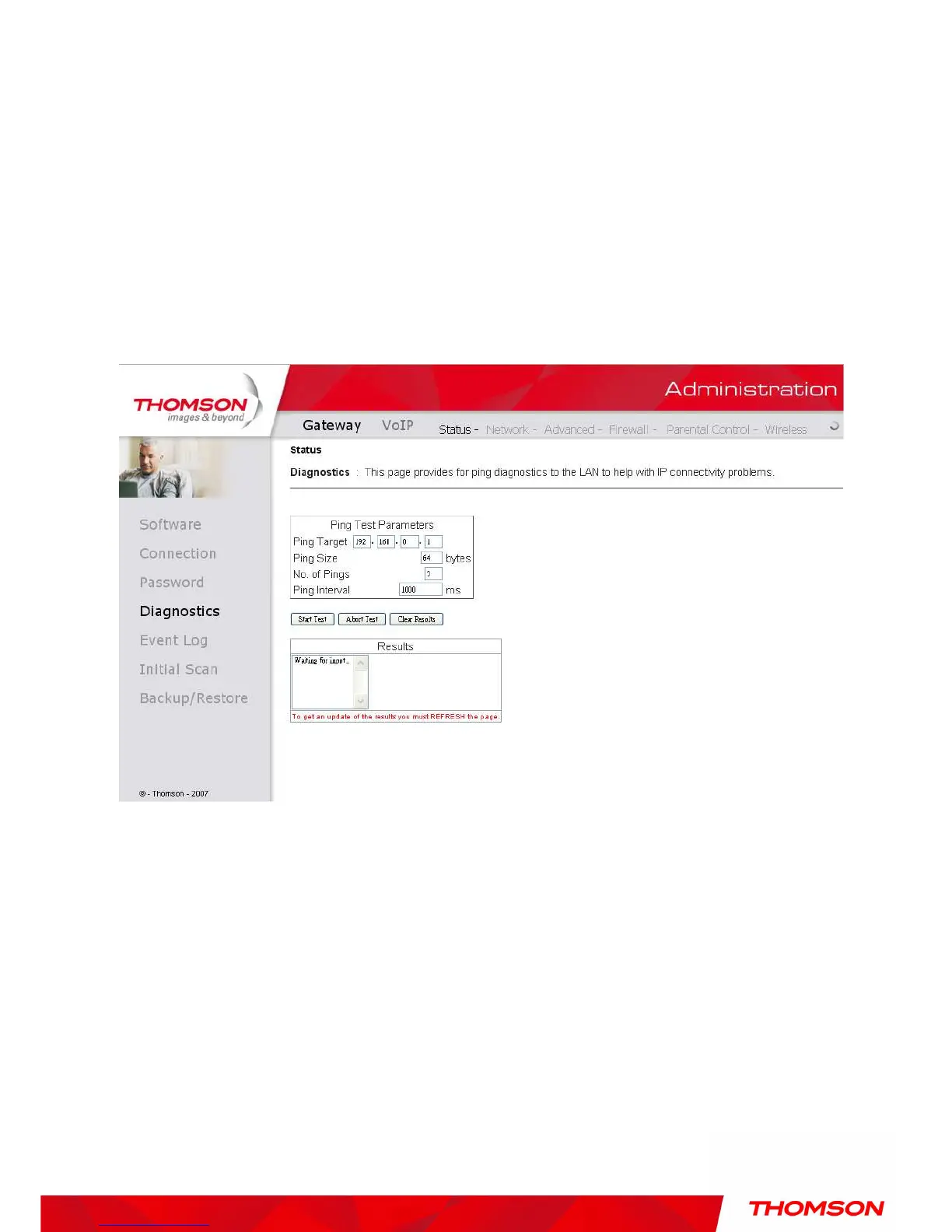
This page offers basic diagnostic tools for you to utilize when connectivity problems occur. When you
ping an Internet device, you send a packet to its TCP/IP stack, and it sends one back to yours. To use
the ping Test, enter the information needed and press Start Test; the Result will be displayed in the
lower part of the window. Press Abort Test to stop, and Clear Results to clear the result contents.
Note: Firewalls may cause pings to fail but still provide you TCP/IP access to selected devices behind
them. Keep this in mind when pinging a device that may be behind a firewall. Ping is most useful to
verify connectivity with PCs which do not have firewalls, such as the PCs on your LAN side.
Fig. 11 Gateway\Status\Diagnostics


 To Next Page